

3D Jewelry Design App (2026 Guide)
What a 3D Jewelry Design App Can Really Do
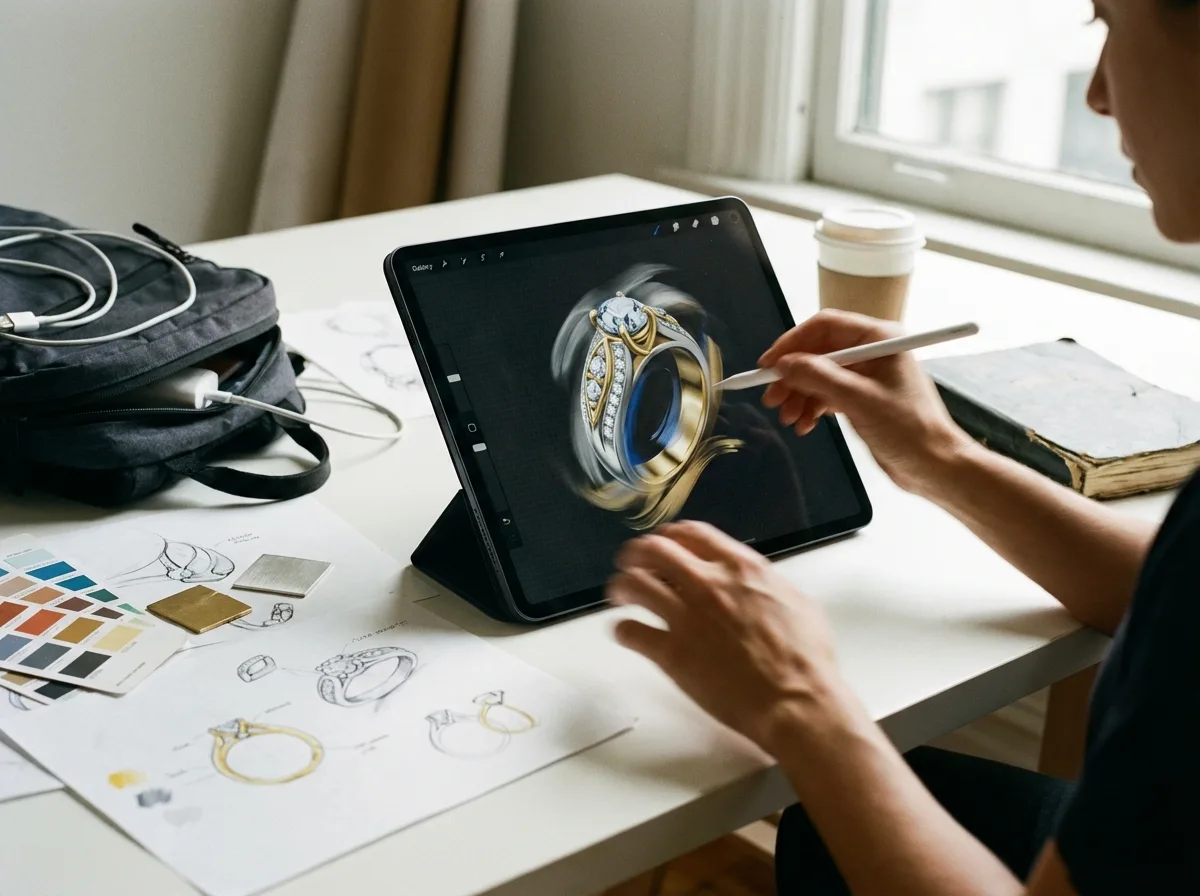
A mobile jewelry design app is best understood as a speed tool, not a complete manufacturing system. For many designers, it is the fastest way to capture an idea on an iPhone, iPad, or Android tablet before the concept disappears. That is valuable when you are developing collections, working with buyers during travel, or reviewing variants with your team.
The best apps usually fall into three groups. First are sketch-based concept apps for drawing silhouettes, setting proportions, and sharing design direction. Second are general 3D modeling apps that can shape basic rings, pendants, earrings, and charms. Third are companion apps that support review, annotation, or presentation after the main model is built elsewhere.
What most mobile apps still do poorly is true manufacturing readiness. You may struggle with prong geometry, wall thickness, stone seat accuracy, file export quality, and production tolerances. If your goal is sampling or mass production, you will often move from app concepting into more advanced workflows such as best 3d modeling software for jewelry design options or dedicated 3d modeling software for jewelry tools.
Best Mobile Application Types for Jewelry Designers
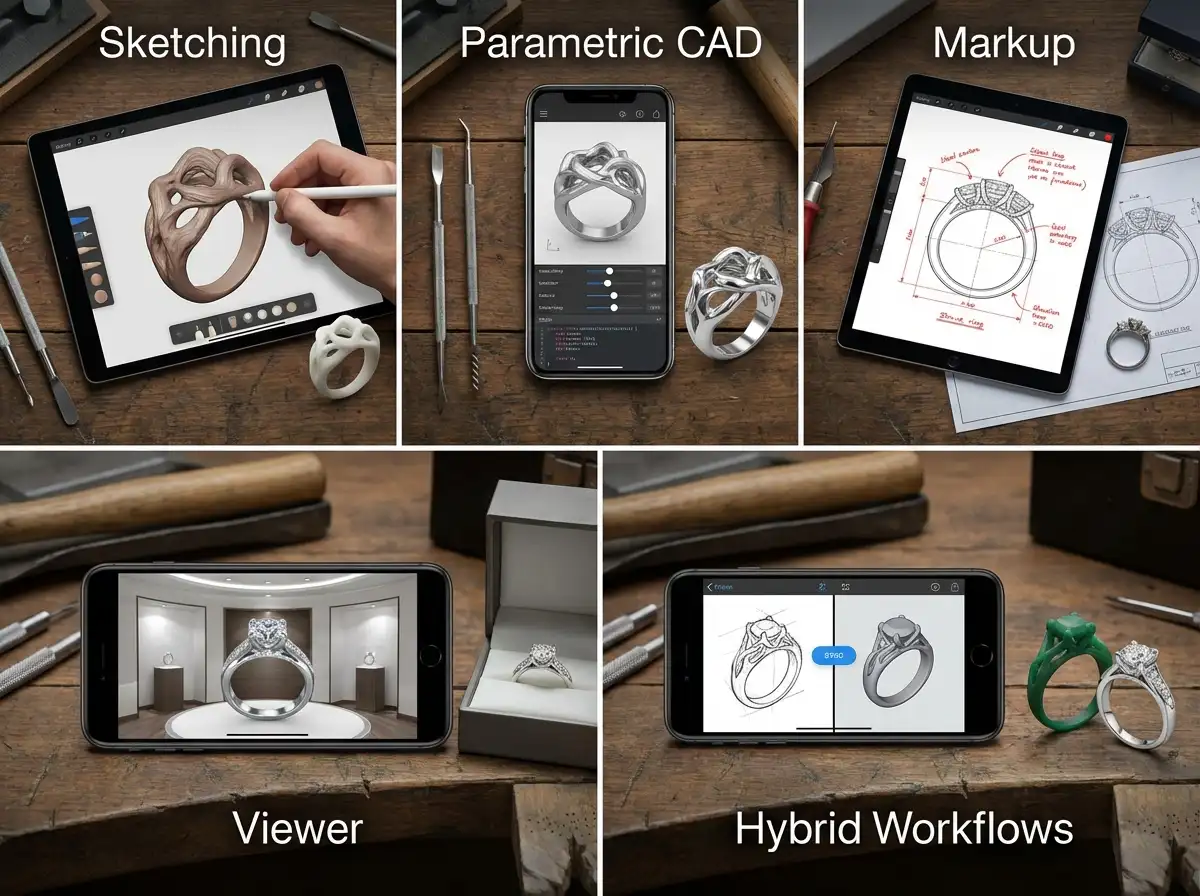
Because mobile app quality changes quickly, it is more useful to evaluate app categories than to pretend one app will fit every jewelry business. Here are the five types that tend to perform best.
1. iPad sculpting apps for concept rings and organic forms
These are often the most creative tools for designers who think visually. They work well for fluid shapes, statement pieces, wax-like exploration, and early ideation. If your collection style is sculptural, they can save time in the concept stage.
- Best for organic forms and creative exploration
- Strong Apple Pencil workflow on iPad
- Useful for founder-led brands validating design direction
- Weak for exact stone setting and production tolerances
2. Parametric mobile CAD apps for geometry-driven concepts
These apps are better when symmetry, measurement, and repeatable forms matter. Think signet rings, wedding bands, geometric earrings, or modular charm systems. They can support cleaner dimensions than pure sculpting apps, but mobile interfaces still feel limited compared with desktop CAD.
- Better control over dimensions and structure
- Useful for simple, repeatable product families
- Can support cleaner exports than drawing apps
- Often harder to learn on a small screen
3. Drawing and markup apps for custom jewelry approvals
These are not full 3D tools, but they are extremely practical. A lot of custom jewelry design work starts with marked-up screenshots, gemstone notes, finger size comments, and plating direction. For many small brands, this is the real mobile workflow.
- Great for client revisions and design communication
- Fast for team review and comments
- Useful for custom order workflows
- Not a substitute for actual 3D modeling
4. Viewer apps for client presentations and sales meetings
These apps matter when you need to present a model cleanly in a showroom, trade fair, or buyer meeting. Rotating a piece in real time helps clients understand scale, silhouette, and details more quickly than flat sketches.
- Helpful for presentations and approvals
- Supports faster internal decision-making
- Can shorten revision cycles
- Usually depends on files created elsewhere
5. Hybrid app-to-desktop workflows
This is the most realistic option for professional jewelry businesses. A mobile app handles ideation and fast review. Desktop software handles precision modeling. Then your manufacturer translates the final model into sampling and production. This approach aligns well with how new collections respond to jewelry trends watch 2025 key design elements year changes and broader technology jewelry design innovations shaping industry shifts.
Key Capabilities That Matter Most
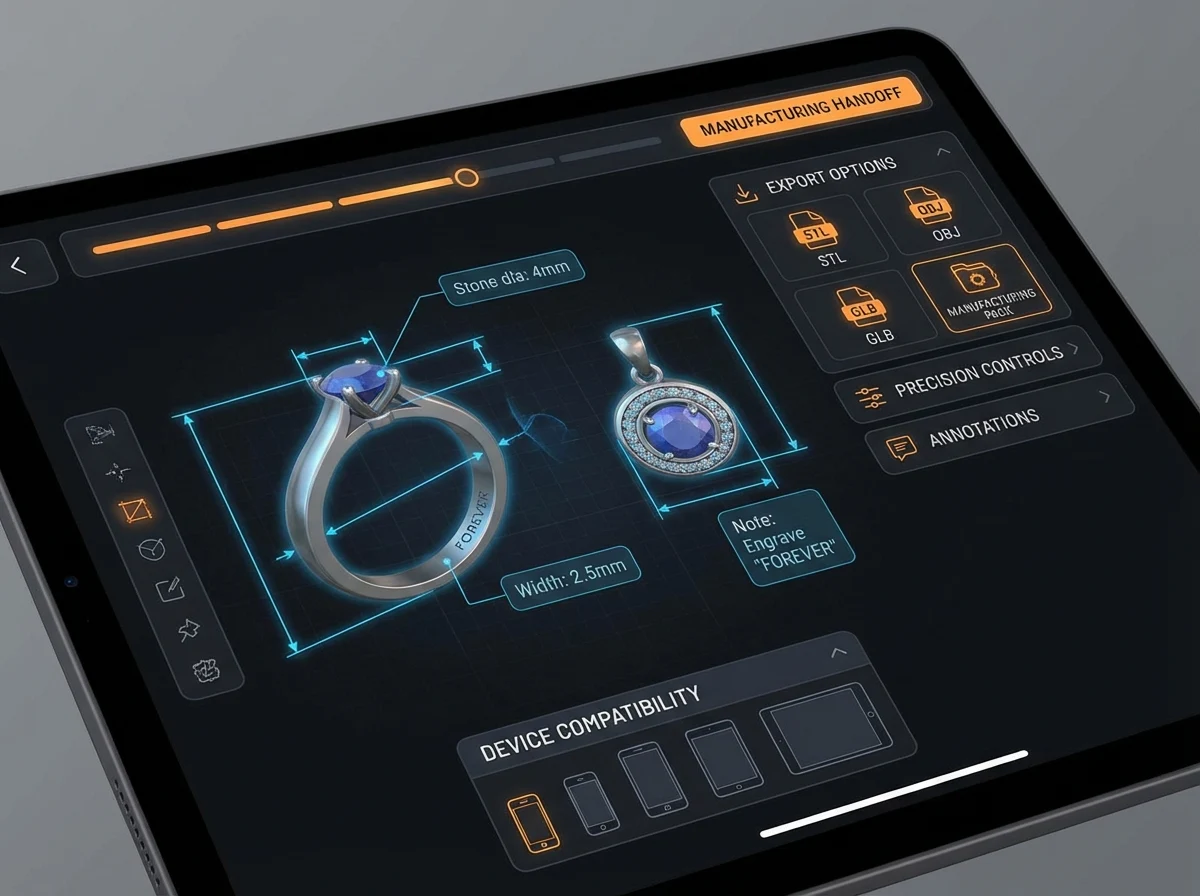
If you are choosing among jewelry design apps, ignore flashy marketing and focus on workflow fit. The best mobile 3d jewelry tools usually stand out in five areas.
Export flexibility
If the app cannot export usable 3D files, it may be fine for concepting but weak for development. Look for export options that your CAD designer or manufacturer can actually open and refine.
Precision controls
Jewelry is small, tolerance-sensitive, and detail heavy. Even a beautiful concept can fail if thicknesses are wrong or stone seats are unrealistic. The more precision control an app offers, the more useful it becomes beyond sketching.
Annotation and review tools
One of mobile’s biggest advantages is communication speed. Screen captures, comments, dimension notes, and markup tools can speed up approvals more than modeling features alone.
Device compatibility
Some of the best jewelry design iPhone Android options are optimized for tablets, not phones. If your team mainly works on iPad, that is very different from trying to model on a smartphone screen. Be realistic about how the app will be used day to day.
Workflow handoff to manufacturing
This is the capability most brands overlook. Ask whether the app helps your design move cleanly into prototyping, resin printing, wax, casting, stone setting, and finishing. If not, you may save time upfront but lose it later. Royi Sal often sees better outcomes when brands pair mobile ideation with structured development steps, as covered in our articles on How Use CAD Technology Faster Jewelry Prototyping and Royi Sals 3D Sampling Workflow.
Pros and Cons
Strengths
- Fast way to capture design ideas anywhere, especially during travel, trade shows, or buyer meetings.
- Useful for early collection planning, concept revisions, and visual collaboration with clients or team members.
- Can shorten design cycles when paired with desktop CAD or manufacturer support.
- Strong presentation value for rotating models, sharing markups, and improving approval speed.
- Lower upfront cost than many full desktop 3d jewelry design software platforms.
Considerations
- Most apps are not complete production tools for precise jewelry manufacturing.
- Small screens can make detailed work difficult, especially for pavé, prongs, hinges, and complex assemblies.
- Export limitations can create delays if your CAD team or manufacturer cannot use the files cleanly.
- Some apps are strong for general 3D work but weak for jewelry-specific needs.
Who Should Use Mobile Jewelry Design Apps
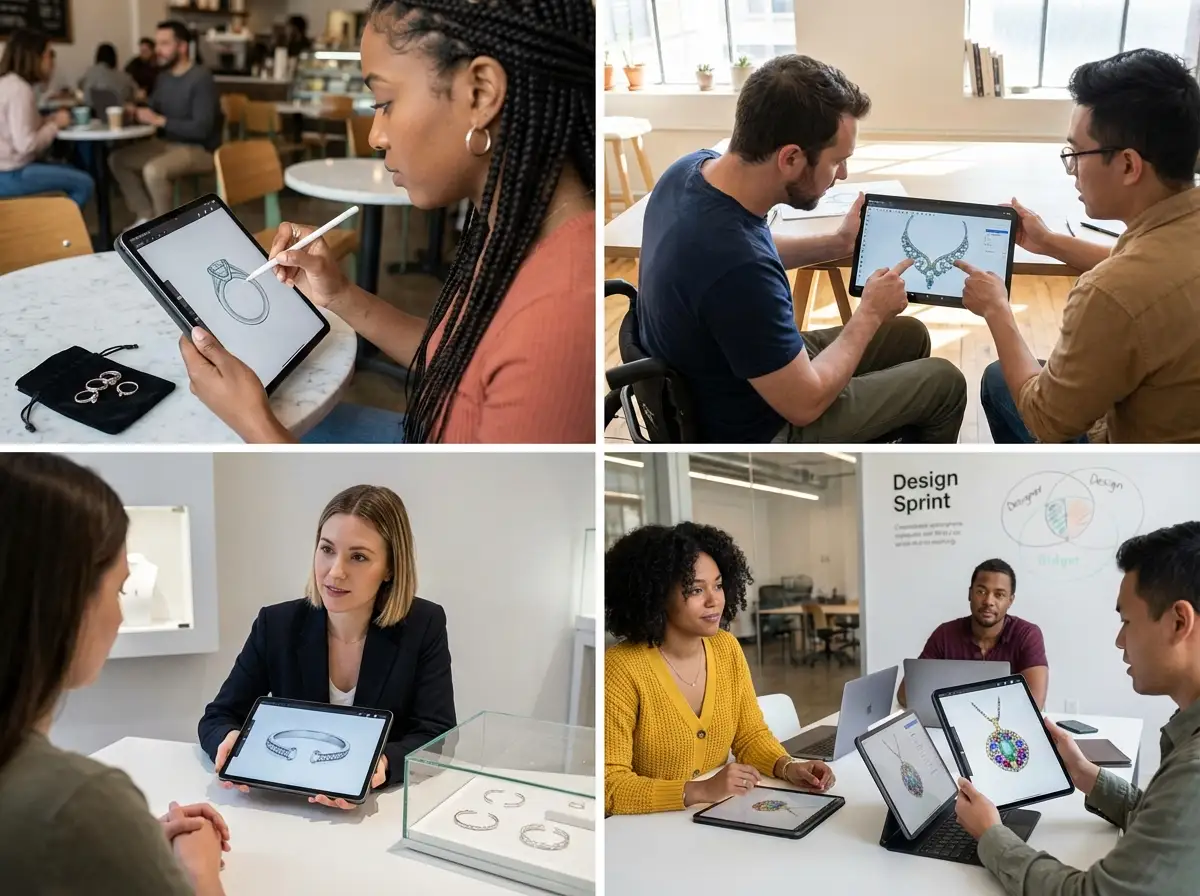
Mobile apps make the most sense for brand owners, freelance designers, and product development teams that need speed in the early stages. If you create trend-led capsule collections, review custom requests with clients, or need quick visual direction before full CAD work, mobile tools can be a smart addition.
They are less ideal as a stand-alone system for brands producing fine-detail collections at scale. If your line depends on accurate stone setting, consistent sizing, repeatable quality, and factory-ready files, mobile should support your workflow, not replace your core design and engineering process.
When to Involve Royi Sal
If your app-based concept is moving toward real production, that is the right time to involve a manufacturing partner. Royi Sal is not a software company, but we regularly help brands translate sketches, screenshots, app concepts, and CAD files into production-ready jewelry through our Services and structured Customer Journey. This is especially useful when a design looks strong visually but still needs engineering review, sampling, material guidance, and finish planning.
For brands exploring custom development, Royi Sal can help assess whether a mobile concept is realistic for silver manufacturing, stone setting, plating, and scaling. Our strengths are in-house production, long manufacturing experience, and practical feedback on what will and will not work. Limitations are worth stating clearly too: we are B2B only, MOQ requirements apply, production orders typically need 30 to 45 days, and shipping from Thailand may affect some timelines. If you want to discuss whether your concept can move into development, get in touch. You can also review inspiration through Jewelry Collections and In-House Designed.
How to Evaluate a 3D Jewelry Design App Before You Commit
Choosing the right app is less about star ratings and more about whether it supports your actual business model. A startup brand collecting custom preorders needs something different from an established wholesaler preparing a 200-style launch.
1. Match the app to your design stage
If you need concept sketches, do not overpay for heavy CAD features. If you need production handoff, do not rely on a sketch app and hope your factory will fix everything later.
2. Test on your real product types
Do not evaluate using generic demos. Model a ring with stones, a pendant with layered dimensions, or an earring with movement. Jewelry-specific complexity shows weaknesses fast.
3. Review export and collaboration workflows
Before adopting any jewelry design app, send a sample file to your CAD freelancer or manufacturer. If they cannot use it easily, the app may cost more in delays than it saves in convenience.
4. Consider team adoption
The best app is not always the most advanced. It is the one your founder, designer, merchandiser, and factory contact can all use without friction. Good collaboration tools often beat advanced modeling depth for small and mid-sized brands.
5. Think past design into production
Beautiful app models still need material decisions, sample testing, finishing standards, and quality control. For commercial jewelry lines, that full chain matters more than the app alone. A practical workflow often looks like this: mobile concept, CAD refinement, prototype approval, then manufacturing validation. That is the safer path if your goal is repeatable wholesale quality, not just a nice render.
What File Types and Handoffs Matter on Mobile
Now, when it comes to a 3d jewelry design app, the model itself is only part of the decision. The handoff matters just as much. Many apps can display a piece beautifully on screen, but the file they export may be too limited for serious CAD refinement or manufacturing review.
From a practical standpoint, you want to know whether the app can export a format your next partner can actually use. Mesh-based files can be useful for viewing, sculptural concepting, and some printing workflows. More editable formats are usually better if your CAD designer needs to rebuild geometry, adjust stone placement, or clean up tolerances. If your process involves outside freelancers, internal product teams, and a manufacturer, one test file can tell you more than any feature list.
What many people overlook is the notes that travel with the file. Ring size, target metal, stone dimensions, plating color, surface finish, and reference images often make the difference between a smooth handoff and a costly rebuild. A mobile app that supports comments, screenshots, or layered review can be more useful than one that only exports a raw model.
Free vs Paid Jewelry Design Apps
Free tools attract a lot of attention, and for good reason. If you are testing whether mobile design fits your workflow, a free app can be a sensible place to start. It lets you explore interfaces, experiment with shapes, and decide whether your team will actually use the tool consistently.
The reality is that free versions often limit the features that matter most for business use. Export quality may be restricted. File types may be locked. Cloud storage, collaboration tools, or higher-precision controls may sit behind a paid plan. That is not a problem if you only need rough concepts. It becomes a problem when your collection needs repeatable development, clear approvals, and a reliable handoff to CAD or production.
Consider this: the real cost of an app is not just the subscription. It is the time lost if your team creates concepts that have to be rebuilt from zero later. For many brands, the right answer is to use a free or low-cost tool for early ideation, then switch to a more structured workflow once a design shows real commercial potential.
Browser-Based and Cross-Device Workflows
Browser-based tools are another category worth considering, especially for teams that work across different devices. They can be useful when your founder uses a laptop, your designer prefers iPad, and your sales team needs easy access during client calls. Because nothing heavy needs to be installed locally, these tools can reduce friction in the early review stage.
Here is the thing: convenience does not always equal depth. Browser workflows tend to be strongest for access, sharing, and simple edits. They are less dependable when the job requires jewelry-specific engineering, precise stone layouts, or dense assembly details. Still, if your biggest need is reviewing a design from anywhere and keeping comments in one place, cross-device access can add real value.
For small and mid-sized jewelry brands, that flexibility can support faster internal alignment. A buyer can review proportions on a phone, a product developer can check notes on a tablet, and the final model can still move into desktop CAD when it is time for precision work.
Common App-to-Production Mistakes
The biggest mistake is assuming that a clean render means a production-ready piece. Jewelry is unforgiving at small scale. Prongs that look fine on screen may be too weak in metal. Walls may be too thin. Stone spacing may look balanced visually but fail when exact measurements are applied.
A second mistake is skipping wearability checks. Earrings may end up too heavy, pendants may flip forward, and rings may feel bulky even if the digital concept looks elegant. Mobile tools are excellent for speed, but they rarely replace the engineering review needed before sampling.
A third mistake is treating the manufacturer as the last step instead of part of the development process. If your concept includes moving parts, pavé, enamel zones, or multiple finishes, early feedback can prevent redesign later. Think of it this way: the earlier you test feasibility, the less time you waste polishing a concept that was never realistic for production in the first place.
Frequently Asked Questions
Can a 3D jewelry design app replace desktop CAD?
Usually no. A mobile app can support sketching, concept modeling, markup, and presentation, but most brands still need desktop CAD for detailed production work. If your design includes stones, hinges, tight tolerances, or multiple parts, desktop tools remain the safer choice before sampling.
What is the best 3d jewelry design app for iPad?
The best iPad option depends on your workflow. Sculpting apps are often strongest for organic concepts and fast ideation, especially with Apple Pencil. If you need dimension control and cleaner geometry, a more CAD-like modeling app may be better. Test with a real jewelry piece before committing.
Is there a good 3d jewelry design app for Android?
There are Android-friendly 3D modeling and sketch tools, but the selection is usually narrower than on iPad. Android can work well for concept capture and review, though detailed modeling may feel limited depending on device size, stylus support, and export options.
Are free jewelry design apps worth using?
Free tools can be worthwhile for learning, brainstorming, and rough concept work. They are less dependable for professional handoff into production because export controls, precision settings, and collaboration features are often restricted. For a commercial jewelry line, free apps are usually a starting point, not the whole system.
What file formats matter most for jewelry design?
That depends on who handles your next step. In practice, the important question is whether your CAD partner or manufacturer can open, inspect, and refine the file without rebuilding it. Always test one real sample file before standardizing on any app or workflow.
Can I use mobile 3d jewelry tools for client approvals?
Yes, and this is one of their best uses. Mobile viewers and markup apps are excellent for showing proportions, rotating a concept, collecting comments, and speeding up custom order approvals. Just make sure everyone understands that a client-approved render is not always production-ready yet.
How do I know if my app-based design is ready for manufacturing?
You need more than a good-looking model. Check wall thickness, wearability, stone setting feasibility, clasp or finding function, plating plan, and size accuracy. A manufacturer review is often the fastest way to identify issues before you invest in sampling.
Are mobile apps useful for collection development?
Yes. They are particularly helpful for early collection planning, design direction, and variant exploration. If you are testing themes, silhouettes, or seasonal concepts, a mobile workflow can be very efficient. It becomes less effective when the process moves into engineering and repeatable production.
Do manufacturers accept designs created in apps?
Many do, but acceptance is not the same as production readiness. A manufacturer may use your app concept as a starting point, then rebuild or refine it in professional CAD. The cleaner your files and notes are, the smoother that handoff will be.
Can I design jewelry on an iPhone, or is an iPad better?
You can design on an iPhone for concept capture, quick markups, and presentation, but an iPad is usually better for serious work. The larger screen, stylus support, and easier control over forms make tablets more practical for jewelry review and modeling tasks.
Are browser-based jewelry design apps good enough for professional use?
They can be useful for access, sharing, and simple concept work, especially across teams using different devices. For precise jewelry engineering, they are usually better as part of a broader workflow than as a complete replacement for desktop CAD.
What should I send a manufacturer with an app-based design?
Send the model file if available, plus screenshots, dimensions, ring size or product scale, stone information, target metal, finish notes, and any comments about movement or wearability. Clear supporting notes often matter as much as the file itself.
Why do some app-based jewelry designs need to be rebuilt?
Because the original model may look good visually without meeting production requirements. A rebuild may be needed to correct thickness, improve stone settings, adjust tolerances, or prepare cleaner geometry for sampling and manufacturing.
Key Takeaways
- A 3d jewelry design app is usually best for concepts, review, and approvals, not full production engineering.
- Tablet-based workflows tend to outperform phone-only workflows for serious design work.
- Export quality, precision control, and collaboration tools matter more than flashy app features.
- The most practical workflow for brands is often mobile concepting plus desktop CAD plus manufacturer review.
- Royi Sal can help evaluate whether your digital concept is ready for sampling and production.
Conclusion
The best mobile jewelry design apps are valuable when you use them for what they do well: capturing ideas quickly, sharing design direction, and speeding up approvals. Where many brands run into trouble is assuming a mobile model is automatically ready for casting, stone setting, or scale production. It usually is not. If you treat mobile as the front end of a broader design-to-manufacturing workflow, it can save real time and improve collaboration. If you are exploring custom jewelry development and want honest feedback on whether your app-based concept can move into production, Royi Sal can help you evaluate the next step. Explore our process, review our capabilities, or contact us to discuss your collection.




Responses (0)