

Free 3D Modeling Software for Jewelry Design Guide
What Free Software Can Realistically Do
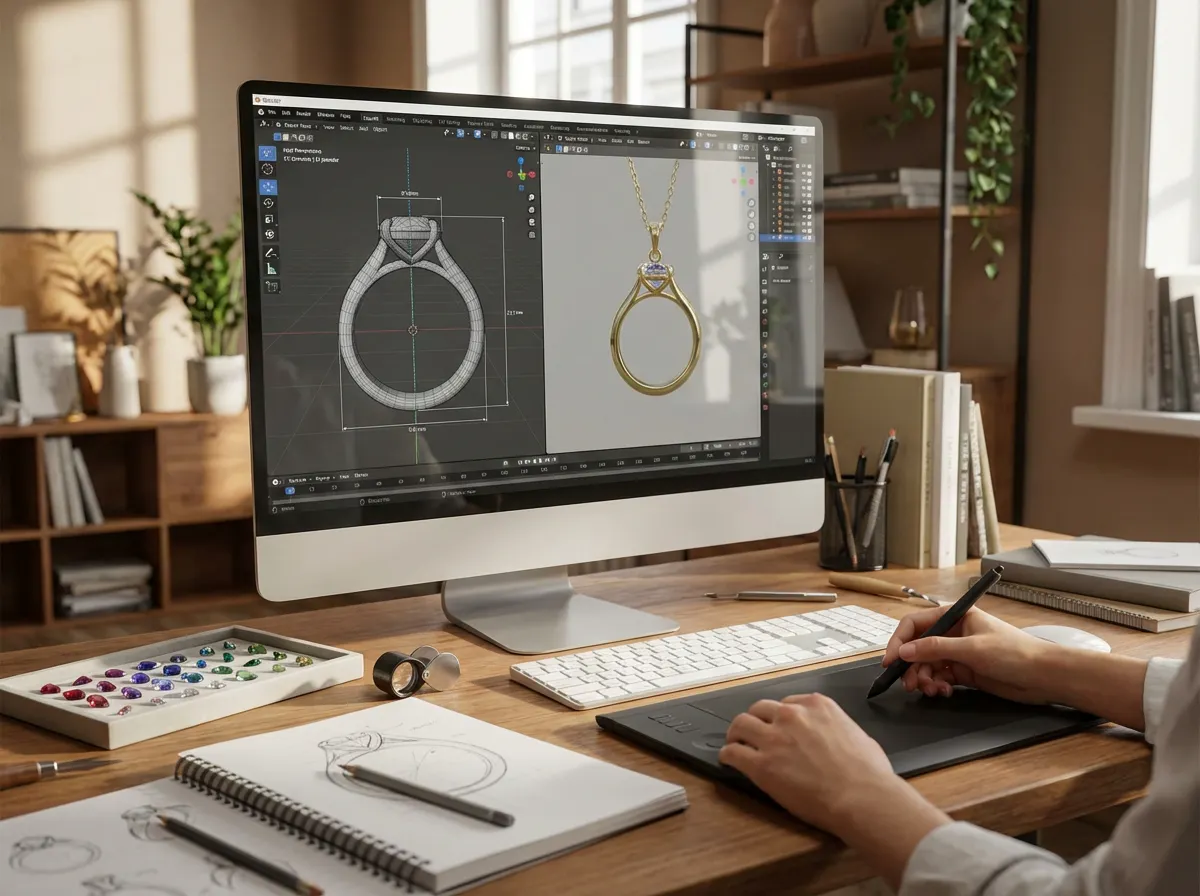
Free tools are often good enough for early-stage design work. You can sketch ring silhouettes, test band widths, build pendant forms, try earring symmetry, and create rough models for internal review. If your goal is idea validation, many free programs are more capable than people expect.
The reality is that jewelry is a precision product. A ring that looks beautiful on screen may fail in casting if prongs are too thin, stone seats are inaccurate, or wall thickness is inconsistent. That is why free tools work best as concept and development platforms, not always as the final engineering system.
Best use cases for free software
From a practical standpoint, free jewelry software is strongest in these situations:
- Early concept development for a new collection
- Testing proportions before paying for sampling
- Learning design and 3d modeling for jewelry as a beginner
- Creating visual references for an OEM partner
- Preparing simple files for 3D printed prototype experiments
If you are specifically looking for lighter entry-level options, this guide to 3d jewelry design software free can help narrow the field further.
The Features That Matter for Jewelry Work
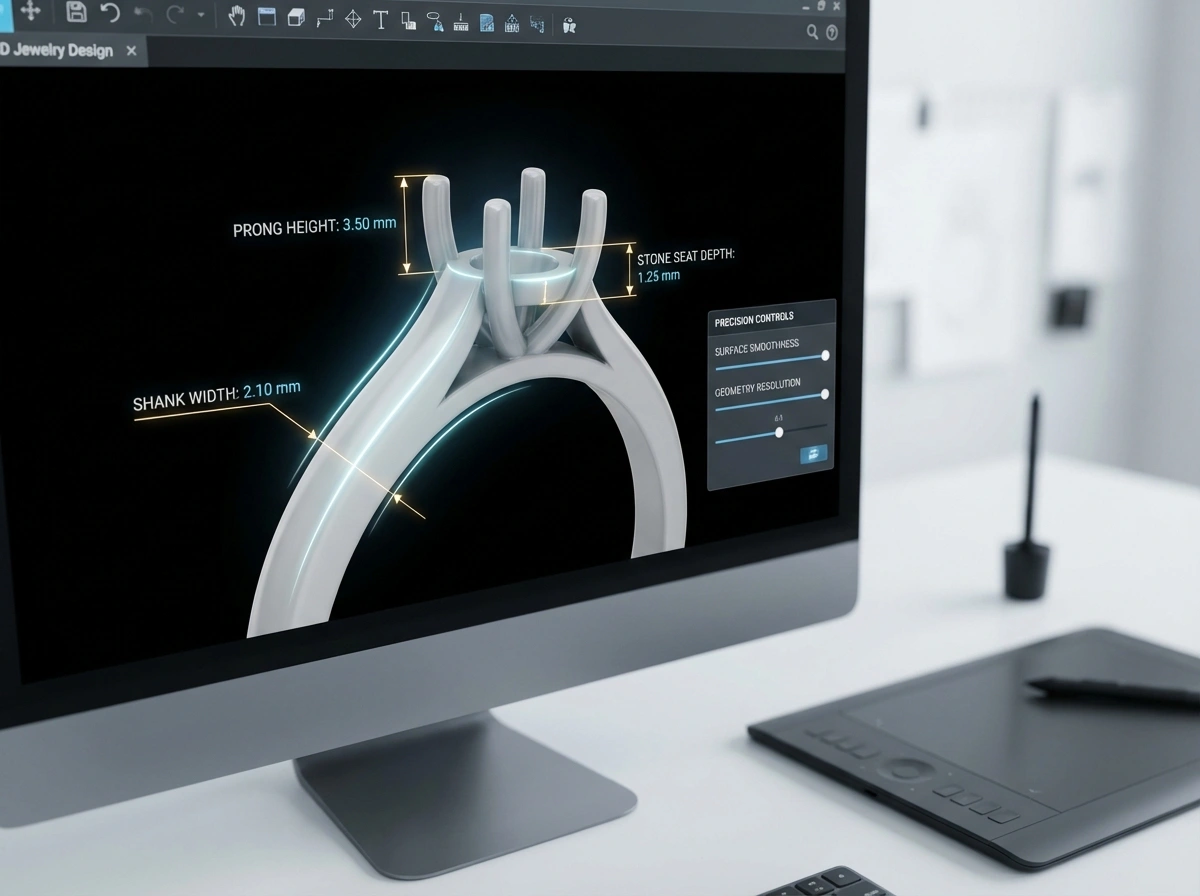
Not all 3D tools are built with jewelry in mind. A general modeling program may be excellent for furniture or product design but frustrating for pavé layouts or sizing a ring shank. What many people overlook is that jewelry design needs accuracy at a very small scale.
Precision and measurement tools
You need exact control over millimeters, tolerances, and symmetry. Even if you are only making a concept model, good dimension controls help you avoid designs that look elegant but cannot survive production. Ring sizing, stone diameter, seat depth, and clasp fit all depend on measurement discipline.
File export options
Look for export support such as STL, OBJ, or 3DM if available. For 3d printing jewelry design software, STL is especially useful because many prototyping and resin printing workflows rely on it. If a free tool locks exports behind a paid plan, it may be better for learning than for business use.
Surface control and clean geometry
Jewelry models need smooth curves and watertight geometry. A software package may let you create attractive renders, but if the surfaces are messy, your prototype bureau or factory will need to rebuild the file. In practice, this means more revisions, longer lead times, and extra cost.
Stone and setting support
For brands designing stone-set collections, stone libraries and setting functions save real time. If a free tool does not include them, you can still model around standard stone sizes, but expect more manual work and a higher chance of errors during handoff.
If you want examples of downloadable assets and learning paths, you may also find this resource on 3d jewelry design free download useful.
Types of Free Jewelry Design Tools
Not every free option works the same way. In practice, most tools fall into a few broad categories, and understanding that difference can save you time. The right fit depends on whether you are building simple concepts, technical product files, or more artistic forms.
Jewelry-specific free or limited-access tools
These are built around common jewelry tasks such as ring sizing, stone placement, or setting structures. They can shorten the path between idea and review because the workflow already assumes you are designing jewelry. The tradeoff is that free access may be limited, and some features needed for full production may still sit behind paid plans.
General 3D modeling tools
These are flexible and often surprisingly capable for jewelry. They are useful when your brand works on sculptural shapes, experimental silhouettes, or custom forms that do not fit preset jewelry templates. The downside is that you usually need to handle measurements, stone layouts, and technical checks more manually.
Browser-based design apps
Browser tools are often the easiest place to start because they remove installation barriers. If you need quick access for internal idea testing, team review, or basic learning, they can be very practical. The reality is that browser-based tools are usually more limited when you need refined surfaces, complex assemblies, or dependable exports for prototyping.
Browser-Based vs Downloaded Software
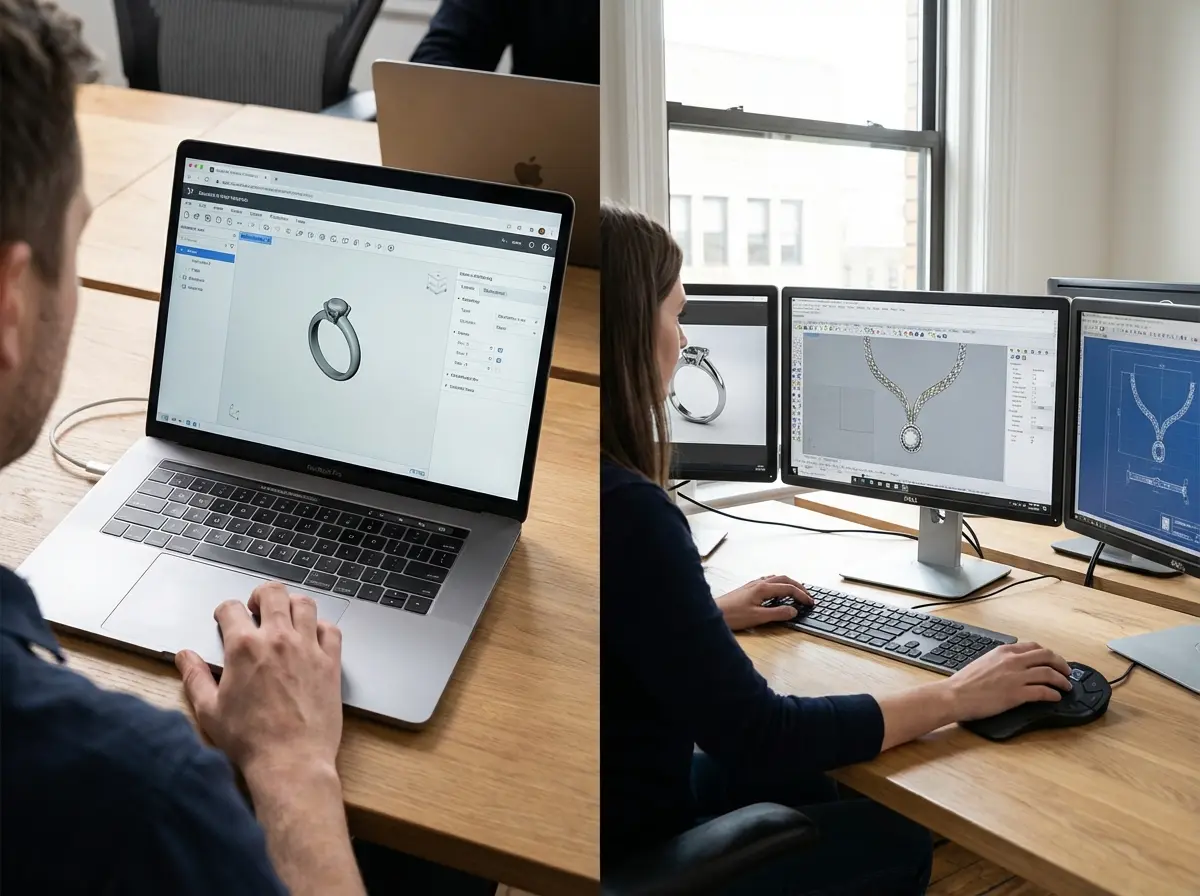
Consider this: convenience and production control are not always the same thing. Browser-based software is fast to access and easy to share across a team, while downloaded software often gives you stronger modeling tools, better file control, and more stable performance for detailed work.
When browser-based tools make sense
They are useful for beginners, mood-board-driven concept sessions, and simple geometry experiments. If your team wants to test a pendant outline, signet face proportions, or a very early ring concept, browser tools can get you moving quickly.
When desktop tools are the better choice
Now, when it comes to denser geometry, precise tolerances, or repeated revisions, installed software is usually easier to manage. You may have better export settings, stronger control over units, and fewer surprises when the model is handed to a prototyping partner.
Think of it this way: browser tools are often good for speed, while downloaded tools are usually better for control. If your collection is heading toward actual sampling, control tends to matter more.
How to Choose the Right Tool for Your Business Stage
Consider this: the best software for a student designer is not always the best one for a growing brand preparing for production. Your business stage matters as much as the feature list.
If you are just starting
Choose a tool with a gentle learning curve, active tutorials, and basic export capability. At this stage, your priority is understanding form, scale, and how digital shapes behave. You do not need every advanced stone-setting function on day one.
If you are building a collection for sampling
Now you need more than pretty visuals. You need files that communicate clearly with a manufacturer. A manufacturer like Royi Sal Jewelry, with more than 20 years in Bangkok and experience serving clients across 140+ countries, can help review whether a digital concept is ready for prototyping or needs technical adjustment first.
If you are managing an established brand
Think of it this way: your software choice affects sampling speed, revision cycles, and margin. If your team spends too much time repairing bad geometry or rebuilding models, free software may stop being economical. For higher-volume launches, integrating design decisions with a structured Customer Journey can save time across development, approvals, and production.
From Screen Model to Factory-Ready Sample
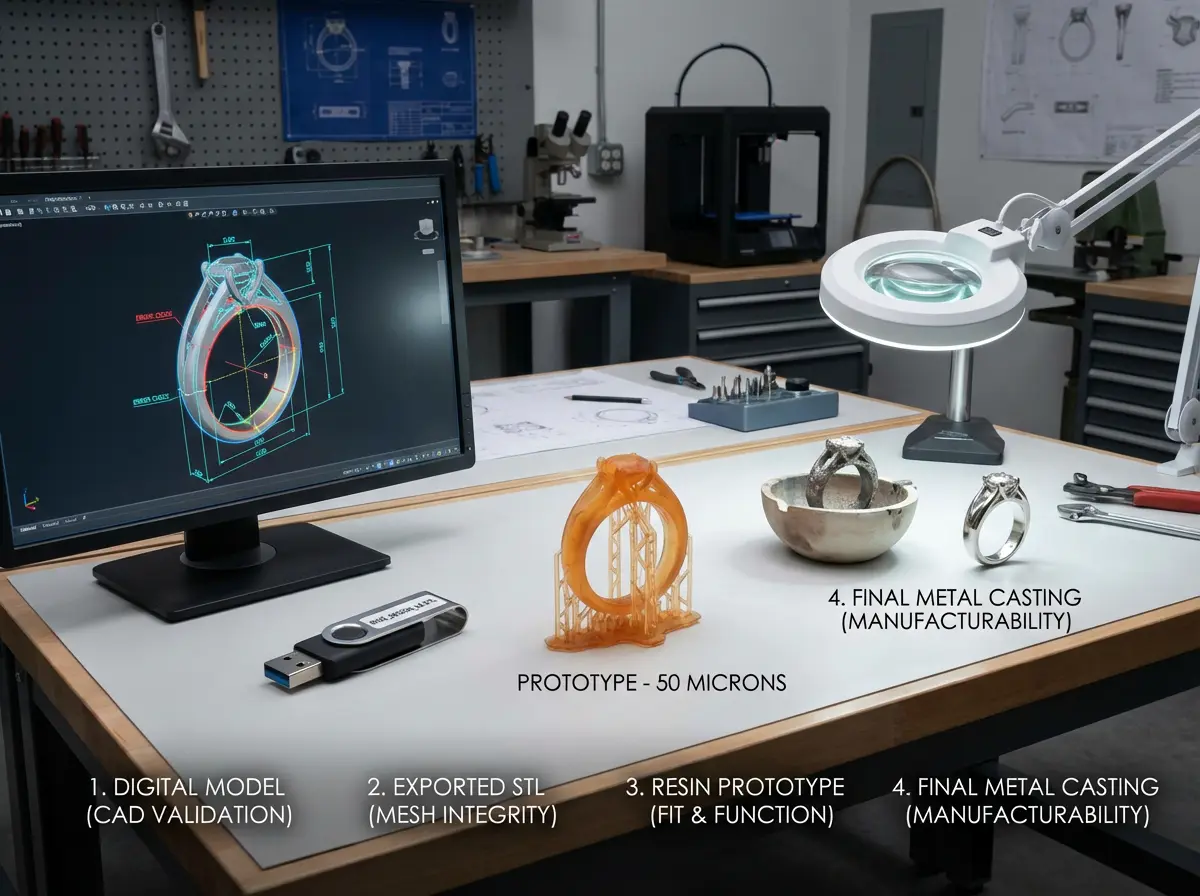
This is the part many designers underestimate. A digital file is not the finish line. It is the beginning of technical validation.
A practical workflow that works
- Start with concept sketches or reference images
- Build the base form in your free software
- Check thickness, dimensions, and wearability
- Export a printable file format
- Review the model with a prototype partner or factory
- Adjust for casting, stone setting, polishing, and assembly
Now, when it comes to production, details like undercuts, solder points, hinge tolerance, and plating impact matter a lot. A model that looks correct in a render may still be difficult to cast cleanly in sterling silver or brass. That is why businesses often pair free concept tools with experienced technical review.
Royi Sal Jewelry is one example of a manufacturer that supports 3D CAD, prototyping, and downstream production steps through end-to-end Services. That kind of support becomes especially valuable when your file needs to move from idea to OEM sampling without confusion.
For a broader view of custom development, see crafting crown jewels guide bespoke jewelry design manufacturing brands. You can also read How Use CAD Technology Faster Jewelry Prototyping for more workflow-specific insight.
How to Check Whether a Free Model Is Printable
A file can export correctly and still fail at the printing stage. What many people overlook is that printability depends on geometry quality, not just file format.
Start with wall thickness and support risk
Thin areas may look refined on screen but become fragile in wax or resin output. Areas like prongs, gallery wires, earring posts, and connector points deserve extra attention. If one section is significantly thinner than the rest of the design, it often becomes the first failure point.
Check for closed meshes and intersecting parts
If the model has open edges, overlapping solids, or internal geometry errors, the printer or factory may reject it or spend time repairing it. That slows down development. Clean geometry is one of the simplest ways to protect your timeline.
Review orientation and assembly logic
From a practical standpoint, some pieces are technically printable but still awkward to produce because of orientation, trapped areas, or joined parts that should really be separate components. Think about how a clasp opens, how a charm hangs, or how a stone will be set after casting. If the digital model ignores that sequence, the print may succeed while the manufacturing process still struggles.
Common Mistakes When Using Free Jewelry Software
Free tools can save money, but only if you avoid expensive design errors later. The most common problem is confusing a visual model with a manufacturing model.
Designing too thin
Delicate is not the same as durable. Prongs, connectors, jump ring areas, and shanks often need more metal than new designers expect. If you create very thin features in a free tool without technical checks, the sample may fail during casting or finishing.
Ignoring finishing loss
Polishing removes a small amount of metal. Engraving can soften. Sharp corners may round slightly. In practice, this means your digital model should account for real-world finishing, not just idealized geometry.
Choosing software based only on render quality
A beautiful render can help with presentations, but your factory cares more about clean geometry and practical dimensions. The reality is that design approval and production approval are not the same thing.
Skipping trend and market context
Software helps you build shapes. It does not tell you whether those shapes fit your market. If you are planning a launch, it helps to compare your concepts with current demand signals such as jewelry trends watch 2025 key design elements year so your digital work aligns with what your customers are likely to respond to.
When to Move From Free to Professional Tools
You do not need to upgrade just because a paid tool exists. You should upgrade when the limitations of free software start slowing your business down.
Signs it is time
- You are rebuilding files repeatedly for manufacturing
- You need advanced stone setting libraries
- Your team requires faster approvals and consistent outputs
- You are outsourcing too much correction work
- You want better integration with resin printing or production CAD
Think of free tools as excellent training ground and concept engines. Once your brand reaches regular launch cycles, seasonal collections, or more complex setting work, professional jewelry CAD often pays for itself through fewer revisions.
Some businesses stay hybrid for a long time. They use free tools to explore ideas and then pass promising concepts into a professional CAD workflow. If you are comparing digital versus traditional methods, Future Bling 3D Printing Jewelry is worth reading alongside your software evaluation.
Can Free Software Support Different Jewelry Styles
Yes, but not equally well. The type of jewelry you design has a big effect on whether free software feels efficient or frustrating.
Simple geometric styles
Plain bands, signet forms, bar pendants, basic hoops, and clean charms are often a strong fit for free tools. These styles depend on proportion, symmetry, and basic dimensional control more than complex jewelry automation.
Organic or sculptural concepts
Some free modeling environments are better suited to organic surfaces, carved textures, and artistic forms. If your brand leans toward nature-inspired shapes or statement pieces, a free tool may actually give you more creative flexibility during concept development.
Stone-heavy and technical designs
Here is where the limits show faster. Multi-stone layouts, pavé surfaces, hinged pieces, and precise settings usually need more rigorous control. Free software can still help you communicate the design direction, but the handoff to production often requires refinement so the piece can be cast, set, polished, and assembled reliably.
Frequently Asked Questions
What is the best free 3d modeling software for jewelry design if I am a beginner?
The best option is usually the one you can learn quickly while still producing measurable, exportable models. For beginners, prioritize intuitive controls, strong tutorial support, and basic file export over advanced features you may not use yet. If your first goal is concept development, many general-purpose free tools will do the job. If your goal is production, you need to check whether the software can create clean geometry and accurate dimensions. A beginner-friendly tool that builds good habits is often more valuable than a powerful tool that feels impossible to use consistently.
Can free jewelry design software create files for 3D printing?
Yes, some free programs can export files suitable for 3D printing, especially STL or OBJ. That said, export capability alone is not enough. The model also needs proper wall thickness, closed surfaces, and realistic structural details. Jewelry is far less forgiving than larger printed products. Small errors can lead to failed prints or weak castings. If you plan to create resin prototypes, review your geometry carefully before printing. This is why many brands test concepts in free tools, then ask for technical review before moving into sample production.
Is free jewelry software good enough for a commercial jewelry brand?
It can be, depending on how you use it. Free software is often good enough for ideation, collection planning, and internal presentations. It may also work for simple styles with clean forms and minimal stone complexity. For commercial launches with pavé, multi-part assemblies, moving parts, or precise settings, free tools often need support from a more technical CAD workflow. The key question is not whether the tool is free or paid. The key question is whether the model is accurate enough for reliable manufacturing, repeatability, and consistent quality.
What file formats matter most in jewelry CAD?
STL is one of the most important formats for prototype printing and many digital manufacturing steps. OBJ can help for visual or mesh-based workflows. Some advanced jewelry CAD ecosystems prefer native parametric formats as well, but those are not always available in free software. If you are working with a manufacturer, ask what they prefer before you start building an entire library of models. Choosing the wrong format can create avoidable delays. Good handoff begins with matching your design tool to the next production step, not just to your own screen.
How do I know if my 3D model is manufacturing-ready?
A model is closer to manufacturing-ready when it has correct dimensions, sufficient thickness, clean geometry, practical stone seats, and realistic assembly logic. It should also account for polishing, casting shrinkage where relevant, and wearability. If a pendant bail is too tight or a prong is too fine, the design may need adjustment even if it renders beautifully. In many cases, the fastest way to validate a model is to review it with a factory or prototyping expert. One detailed review early on can save several rounds of failed samples later.
Are free tools suitable for ring design specifically?
Yes, free tools can be very useful for ring concepts, especially plain bands, signet forms, and simple stone settings. Rings are also a good training category because they force you to think about sizing, comfort fit, symmetry, and thickness. Where free tools may struggle is in complex stone layouts, intricate galleries, and detailed prong engineering. If you are designing engagement-style rings or fashion rings with many stones, precision matters more than ever. Free software can still play a role, but technical review becomes much more important.
Should I use free software or outsource CAD work?
It depends on your time, skill level, and launch schedule. If you enjoy the design side and want more control over concept development, free software is a smart place to start. It helps you communicate your ideas more clearly and reduce misunderstandings. If your business is moving quickly or your designs are technically demanding, outsourcing CAD may actually save money by shortening revisions. Many brands use a mixed approach: they create rough models or references in-house, then have a specialist refine the file for manufacturing. That balance often works very well.
Can I use free 3d jewelry models free from online libraries for my collection?
You can use downloadable model libraries for learning, internal testing, and inspiration, but be careful with commercial use. Licensing terms vary, and many downloadable assets are not exclusive. That creates a real brand risk if another seller uses the same base model. There is also the technical issue that downloaded files may not match your target metal, stone sizes, or quality expectations. If you use online assets, treat them as references unless you have verified legal rights and production readiness. Originality and technical fit matter just as much as convenience.
How steep is the learning curve for design and 3d modeling for jewelry?
The learning curve is moderate to steep, mostly because jewelry combines art with engineering. You need to understand shape, proportion, wearability, and manufacturing logic at the same time. A pendant can be learned quickly. A stone-set ring with production-ready tolerances takes more practice. The good news is that consistent weekly use builds skill faster than occasional long sessions. Start with one product type, such as studs or simple bands, and repeat. If you jump straight into highly complex pieces, you may think the software is the problem when the issue is really workflow discipline.
Does a manufacturer need my exact CAD file, or is a concept model enough?
For very early discussions, a concept model can be enough to start the conversation. It helps a manufacturer understand style direction, scale, and intent. For sampling and production, more precision is usually required. Some factories can rebuild or optimize a concept model into production-ready CAD, while others expect a cleaner file from the start. Royi Sal Jewelry, for example, supports OEM and ODM development and can guide brands through 3D sampling, prototyping, and refinement. That kind of support is useful when your internal design capability is still growing.
What is the difference between mesh modeling and parametric modeling for jewelry?
Mesh modeling is often better for freeform shapes, sculptural surfaces, and artistic exploration. Parametric modeling is better when you need precise dimensions that can be edited systematically, such as changing ring size or stone diameter without rebuilding the whole design. If your brand creates clean, repeatable product lines, parametric workflows are often easier to manage. If your work is more expressive or organic, mesh-based tools may feel more natural during concept development.
Are browser-based free jewelry design tools good enough for professional use?
They can be useful for early concepts, team collaboration, and simple model review. For detailed production work, they are often more limited than installed software. The question is not whether browser tools are serious enough. The question is whether they give you the control your product category needs. For straightforward pieces, they may be enough at the early stage. For technical settings or multi-part designs, most brands eventually need a more robust workflow.
What should I ask a manufacturer before sending a free CAD file?
Ask which file formats they accept, what unit settings they prefer, whether they can review wall thickness and stone settings, and whether they expect a concept file or production-ready CAD. You should also ask how they handle revisions and whether they can advise on casting, finishing, and assembly concerns before sampling starts. Those questions help you avoid preventable back-and-forth and make your free design workflow much more effective.
Key Takeaways
- Free 3d modeling software for jewelry design is often strong enough for concept development, learning, and early prototyping.
- Jewelry work depends on precision, so measurement tools, clean geometry, and export options matter more than flashy renders.
- Free tools save money at the start, but repeated file fixes can become more expensive than upgrading later.
- Manufacturing-ready models need technical checks for thickness, stone settings, finishing, and assembly logic.
- A hybrid workflow, free concept modeling plus expert CAD refinement, often works best for growing brands.
Conclusion
Free software can be a very smart starting point if you use it with clear expectations. It can help you test ideas, communicate design direction, and build confidence before you invest in advanced CAD or paid sampling. For new brands, that flexibility is valuable. For established brands, it can still be useful as a fast concept tool.
The important part is knowing where free software adds value and where technical limits begin. If your goal is simple concept development, free jewelry design software may be all you need for now. If your goal is reliable production, you also need to think about file quality, manufacturing logic, and how your model will behave in casting, stone setting, and finishing.
One well-built digital workflow can shorten development time, reduce misunderstandings, and make collaboration with your factory much smoother. That is true whether you design in-house or work with a partner from the start.
If you want help turning digital concepts into production-ready jewelry, get in touch and explore how we can help.




Responses (0)