For a brand founder or buyer, the value is not speed alone. The real gain is clearer communication, earlier problem spotting, and fewer avoidable misunderstandings between design intent and prototype output. If you are still mapping the broader role of jewelry cad design, this article explains how use cad technology faster jewelry prototyping in one specific commercial context. It shows how CAD can help a jewelry business move through prototyping with more control, and what a manufacturer should explain before you approve the next step.
What Faster Jewelry Prototyping Actually Means
Faster prototyping does not mean rushing a sample out the door. In a B2B jewelry workflow, it usually means reducing avoidable delays between design briefing, digital interpretation, internal review, revision, and prototype creation.
CAD supports that goal by creating a shared reference point. Instead of relying only on sketches, text messages, or rough markups, a brand and manufacturer can review dimensions, proportions, placement, and structural details in a digital format early in the process. As a result, teams often spot issues before physical sampling begins.
This matters most when you balance creative goals with commercial constraints. A collection may look strong on paper but still need adjustment for manufacturability, repeated production, or consistency across a wholesale line. CAD gives the project a more technical working language.
For readers comparing related workflows, cad jewelry design and jewelry prototyping connect closely, but they are not the same. CAD supports decision-making before and during prototyping. The prototype serves as the checkpoint where those decisions face real-world testing.
How Use CAD Technology Faster Jewelry Prototyping Works
CAD tends to speed prototyping through four practical mechanisms rather than one dramatic shortcut.
1. Earlier dimensional clarity in jewelry CAD
A digital file can give your manufacturer a more exact starting point than a hand sketch alone. That may reduce time spent interpreting unclear scale, spacing, or construction intent. If the first file is clearer, the first prototype often has a better chance of being commercially useful.
2. More efficient revision rounds for jewelry prototyping
Teams can often change a digital model more easily than a physical sample. That does not remove the need for approvals. However, it can help teams test adjustments in sequence before they commit to the next sample version.
3. Better cross-team communication with CAD for jewelry
In many jewelry businesses, the person who approves the design is not the same person who manages production. CAD helps connect founders, merchandisers, sourcing staff, and manufacturing teams around the same file set. As a result, teams face less risk of parallel instructions or outdated references.
4. Stronger readiness for sample planning
When a team organizes a CAD file properly, the prototyping stage often moves with fewer basic questions. The file can support discussions around tolerances, intended look, and areas that still need validation. Readers newer to digital workflow may want broader context on 3d jewelry design and 3d jewelry modeling because those disciplines shape how quickly a concept can become sample-ready.
How Use CAD Technology Faster Jewelry Prototyping from CAD to Prototype
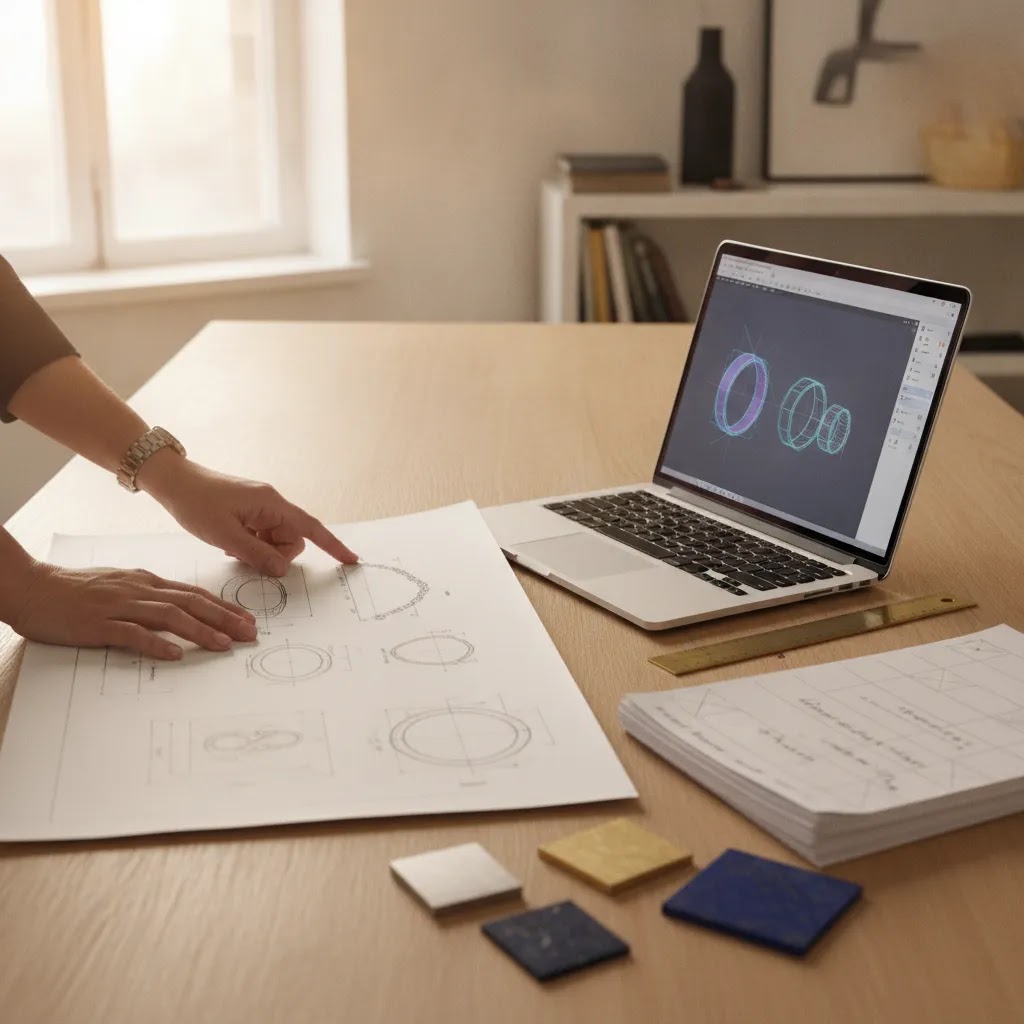
Speed depends on more than the time it takes to build a CAD model. It also depends on what happens between the CAD file and the physical checkpoint you want to approve. In jewelry development, “rapid prototyping” usually means shortening back-and-forth cycles by making clearer decisions earlier and then using a fast physical representation to confirm what the screen cannot.
Digital review and physical review serve different goals
In many B2B approval cycles, you will see a few common CAD-to-physical pathways. A digital-only review helps with proportion, silhouette, and high-level layout, especially when stakeholders need to align before sampling costs begin. A printed model for fit or scale review helps you validate how a piece reads in hand, how it sits relative to the body, or whether key volumes feel right. Some projects then move into a production-oriented prototype route where the goal shifts toward manufacturability testing, not just visual confirmation.
What faster really depends on in practice
Rapid prototyping reduces iteration when teams use it to isolate a specific question. For example, you may approve overall dimensions and spacing at the CAD stage, then use a physical model to confirm that the piece feels balanced and that any moving or interfacing areas behave as expected. On the other hand, a faster physical step can reveal new checkpoints, such as surface quality expectations, small tolerance realities, or assembly constraints that were not obvious in the digital view.
To keep “faster” from becoming rework later, align approvals to the right stage. Approve at the CAD stage: overall measurements, proportion targets, placement intent, and any constraints the manufacturer has flagged. Save physical prototype review for tactile scale, practical function, and whether assembly assumptions hold up in real conditions. Your manufacturer should explain which elements you can freeze in CAD with confidence and which ones should stay provisional until you review a physical result.
Key Workflow Components to Evaluate
If you want CAD to support faster prototyping, evaluate the workflow rather than the software label alone.
- Brief quality: Clear references, target dimensions, intended use, and collection context help the CAD stage move with fewer avoidable assumptions.
- Revision structure: You need to know how the team gathers, consolidates, and approves feedback before another prototype step begins.
- File control: Version naming, date control, and approval discipline matter more than many first-time brand founders expect.
- Prototype purpose: Some samples support visual approval, while others test fit, scale, or production feasibility.
- Manufacturer communication: A responsive partner should explain what the team can review digitally and what still requires physical validation.
These points are especially important if your collection includes multiple SKUs or repeated design families. Even a small inconsistency in one CAD stage can multiply across a broader line. In practice, that is one reason how use cad technology faster jewelry prototyping matters so much for growing brands.
Glossary:
- CAD: Computer-aided design used to create technical digital jewelry models.
- Prototype: A pre-production sample used to review design intent, structure, and potential adjustments.
- Revision round: A documented cycle of design feedback, edits, and re-approval before the next development step.
- Version control: The practice of naming and tracking the correct working file so teams do not approve outdated designs.
| Workflow stage | What teams typically review | Main purpose |
|---|---|---|
| CAD stage | Overall measurements, proportion targets, placement intent, and flagged constraints | Lock non-negotiables early |
| Physical prototype stage | Tactile scale, practical function, and whether assembly assumptions hold up in real conditions | Validate what needs real-world review |
How Use CAD Technology Faster Jewelry Prototyping at the Review Stage
CAD can move quickly, but sampling can still slow down if the approval is vague. Before you approve a prototype step, treat the CAD file as a commercial control document. You are confirming not only how it looks, but also what the manufacturer needs to build.
Check dimensions, clearances, and function first
Start with measurable fundamentals. Confirm critical dimensions and any minimum thickness expectations that could affect durability or manufacturability. Check clearances where parts meet, overlap, or move. Also make sure the file shows realistic spacing rather than an idealized visual. If the design includes hinges, interlocking areas, or other functional elements, confirm that the CAD reflects a workable range of motion and that the assembly logic is clear.
Use documentation to keep approvals unambiguous
Review any seats, settings, or component interfaces in a generic way, even if final component choices may change later. The business risk is simple: you may approve a design whose interfaces do not match the intended scale or whose geometry forces late-stage redesign. Closures and connection points also deserve attention because a small change in a closure area can trigger broader adjustments in balance, comfort, and assembly steps.
On the documentation side, ask for deliverables that make approval unambiguous. Visual renders can help stakeholders align on style, but technical views and measurement callouts prevent scale errors. Version history also matters, especially if multiple people are commenting. “Approved” should mean a specific version is frozen for the next step, with a clear sign-off from whoever has final authority on your side. If approval stays informal, the project can drift even while CAD work continues.
Several preventable issues tend to slow sampling even with CAD in place. Unclear scale is common when references conflict or when teams never confirm dimensions explicitly. Missing tolerances and conflicting markups can lead to a prototype that matches the file but misses the intent. Finally, last-minute aesthetic changes often create delays because they affect structure and assembly, not just surface appearance. If you want speed, keep the CAD approval stage focused on the non-negotiables, then use the prototype stage to validate what truly needs physical review.
Why This Matters for Jewelry Brands
For a growing jewelry business, time lost in prototyping is rarely just a calendar issue. It can affect launch windows, photography schedules, buyer presentations, and reorder planning. CAD may help reduce that risk by making technical decisions visible earlier.
This is especially relevant when you work with an overseas manufacturing partner and need cleaner communication across time zones. A precise digital review process can reduce long email chains built around interpretation rather than execution. If you want broader context, see the jewelry manufacturing process concept creation and future custom jewelry manufacturing advanced technologies.
It also matters for assortment planning. If your team is developing a cohesive line, how use cad technology faster jewelry prototyping may help you compare related styles more efficiently before you commit to broader production. That can support better decisions on which pieces should advance, pause, or be redesigned.
Royi Sal Jewelry approaches custom jewelry development as a collaborative B2B process, with services centered on custom jewelry design and manufacturing for wholesale and private label clients. Led by Royi Gal, whose background combines jewelry design and manufacturing, the company reflects the kind of end-to-end perspective brands often need when evaluating whether a CAD-led workflow can move cleanly into sampling and production. You can also explore related resources in Jewelry Design and Jewelry Manufacturing.
CAD Prototyping vs Traditional Revision Cycles
A common misunderstanding is that CAD replaces craftsmanship or removes the need for physical validation. It does not. What it often changes is where decisions happen.
In a more traditional revision cycle, a team may discover issues later, after time and cost have already gone into a physical sample. In a CAD-led cycle, digital review can surface some of those issues earlier. That can shorten the route to a more useful prototype, but only when the brand and manufacturer share the same objectives.
CAD is also not the same as every technical jewelry topic. For example, a product detail such as crimp beads belongs to component and construction discussions, while CAD concerns the digital planning framework used before and around prototyping. Strong workflows connect both levels: the digital model and the practical assembly reality.
How Use CAD Technology Faster Jewelry Prototyping with the Right CAD Setup
Brands often ask what jewelry CAD software a manufacturer uses, but the more useful question is whether the workflow supports production decisions rather than just attractive visuals. Different tools serve different purposes. However, your commercial risk usually ties back to compatibility, repeatability, and how reliably the file set moves into manufacturing without a rebuild or reinterpretation.
Software matters, but workflow matters more
Compatibility shows up in practical ways. You may need export formats that work across stakeholders, especially if your brand uses an external designer, a separate sourcing resource, or multiple factories over time. Repeatability also matters if you plan to scale a collection, because you want a stable file structure that supports reorders and related SKUs without starting from scratch each season. A production-oriented workflow should preserve measurement intent and version tracking so the approved design does not become a moving target.
Questions to ask your CAD partner
Operator skill can matter more than the tool. An experienced CAD resource inside a manufacturing team knows how to translate design intent into geometry that the team can realistically produce, and how to flag risks early. That includes identifying areas where tolerances are tight, where assembly could become difficult, or where a visual change may create downstream effects. In many cases, speed comes from these early warnings because they prevent late-stage surprises that force extra prototype rounds.
Before you commit to a development cycle, ask process questions that reveal how the CAD stage is managed. What deliverables will you receive at each stage, and what is the expected approval method? How are revisions structured, and how does the team consolidate feedback so the CAD operator is not responding to conflicting inputs? What does file access look like for your brand, and what is the policy on file ownership for approved designs? Also ask how CAD connects to downstream manufacturing steps, because the goal is not only to finish a model. Ultimately, the goal is to reach a prototype that reflects the approved intent with fewer avoidable delays.
Where You Will Encounter This in Real Projects
You are most likely to see the value of CAD-supported faster prototyping in situations like these:
- Launching a first private label capsule and needing clearer approvals before production planning
- Adapting a concept across several SKUs with similar visual language
- Working across time zones where visual precision can reduce clarification delays
- Preparing buyer-ready samples for a wholesale collection review
- Refining a design that has already gone through one unsatisfactory prototype round
In each case, the business question is similar: can the digital workflow reduce avoidable iteration while preserving design intent? A capable manufacturing partner should answer that in process terms, not marketing terms.
What to ask before you proceed
- How is design feedback consolidated before the next revision?
- Which elements can be validated digitally, and which still need physical sampling?
- How are approved files labeled and stored?
- What typically causes delay between CAD approval and prototype review?
- How does the team handle changes after a prototype reveals new issues?
Strengths and Considerations
Strengths
- CAD may shorten early-stage interpretation time by turning a broad concept into a more measurable digital model.
- It often improves communication between brand teams and manufacturers, especially where multiple stakeholders approve the same collection.
- Revision rounds can become more structured because changes are reviewed against a named digital version rather than scattered references.
- It may reduce some unnecessary physical sampling by identifying proportion or layout issues before a prototype is produced.
- CAD supports more consistent development across matching or related pieces in a collection.
- For overseas manufacturing relationships, it can help reduce ambiguity that would otherwise slow progress across time zones.
Considerations
- CAD does not guarantee a perfect first prototype, because physical results still depend on execution, communication, and project complexity.
- A weak design brief can slow the process even if the CAD capability itself is strong.
- More revisions are not always better. If approval authority is unclear, digital workflow can still become stuck in loops.
- Some structural or aesthetic questions still need physical review, so CAD should be treated as a tool for risk reduction rather than a substitute for sampling.
Frequently Asked Questions
What is a jewelry CAD in practical B2B terms?
A jewelry CAD is a digital design file used to define a piece more precisely before or during prototyping. For a brand, it acts as a technical review point rather than just a visual asset. It may help clarify dimensions, layout, and revision intent so the manufacturer can move into sampling with fewer assumptions.
Does CAD always make jewelry prototyping faster?
Not always. CAD can improve speed when the brief is clear, the revision process is controlled, and the manufacturing team communicates well. If approvals are fragmented or the concept is still changing heavily, the digital stage may simply expose those delays rather than remove them. Faster workflow usually depends on management discipline as much as software use.
How many prototype rounds should a jewelry brand expect?
There is no universal number that fits every project. Prototype rounds typically vary based on design complexity, the quality of the initial brief, and how decisively feedback is handled. Many businesses benefit from agreeing in advance on the purpose of each sample round so CAD revisions and physical reviews do not overlap in a confusing way.
Is CAD mainly useful for large jewelry brands?
No. Smaller brands and first-time private label founders may benefit significantly because CAD can create a clearer approval framework early on. The main issue is not business size. It is whether your project needs precision, repeatability, and smoother communication before production decisions are made.
What should I send a manufacturer before CAD work begins?
You should usually prepare a concise design brief with reference images, intended dimensions, target collection context, and clear notes on what matters most visually. The stronger your input, the more efficiently the CAD stage may proceed. Ambiguous instructions often lead to extra revisions, even when the designer is technically capable.
Can CAD replace physical jewelry samples?
Usually no. CAD can reduce some uncertainty before sampling, but physical prototypes still matter for assessing real-world appearance, proportion, and practical issues that may not be fully resolved on screen. Most B2B buyers should treat CAD as an earlier control point, not as a final substitute for tangible review.
How do I know whether a manufacturer uses CAD well?
Look at process clarity rather than software branding alone. A capable partner should explain revision handling, file approvals, prototype objectives, and how digital work connects to manufacturing decisions. If the team can only discuss visuals but not workflow, you may face delays later when the project moves toward sample execution.
What CAD software do jewelers use?
Jewelers may use a range of CAD tools depending on the type of work being done, the team structure, and what downstream manufacturing steps the files must support. For a brand, the practical concern is not the software name. It is whether your partner can provide usable exports, clear technical views and measurements, and stable version control so the CAD work can move cleanly into prototyping and production planning.
How is it helpful to use a CAD program to create a prototype?
CAD can help by clarifying dimensions, proportion targets, and construction intent before a prototype is made. That often reduces avoidable questions during sampling and helps you approve what can be approved early. The prototype then becomes a more focused checkpoint for validating physical realities such as scale in hand, function, and any assembly assumptions.
How long does it take a jeweler to make a CAD?
Timing varies based on design complexity, the quality of your brief, how many stakeholders need to approve changes, and how revisions are managed. A straightforward piece with clear references may move faster than a design with multiple functional elements or evolving direction. If you want a realistic schedule, ask your manufacturing partner to outline expected deliverables and approval gates, not just a single estimate for “the CAD.”
How is rapid prototyping transforming the jewelry industry?
Rapid prototyping is changing how quickly teams can validate key decisions, especially when brands and manufacturers need to align across locations and time zones. In many workflows, it allows earlier physical confirmation of scale and function while CAD carries more of the technical decision-making. The result is often a more structured approval process, where fewer surprises appear late in sampling, provided the brand treats CAD approvals as disciplined checkpoints.
Where does Royi Sal Jewelry fit in this process?
Royi Sal Jewelry works in custom jewelry design and manufacturing for wholesale and private label clients, with a collaborative model that can suit brands evaluating digital development and production planning together. Because the business is led by Royi Gal, whose background spans both design and manufacturing, it can be a useful resource for discussing how CAD-led development may connect to broader production goals.
Key Takeaways
- Faster jewelry prototyping through CAD is mainly about reducing avoidable revision friction, not rushing approvals.
- The biggest gains often come from clearer dimensions, better version control, and stronger communication between brand and manufacturer.
- CAD supports prototyping, but it does not eliminate the need for physical sample review.
- Brands should evaluate workflow structure, not just whether a supplier says they use CAD.
- A collaborative manufacturing partner may help connect digital development to practical production planning more effectively.
Conclusion
How use cad technology faster jewelry prototyping comes down to a disciplined development process: clear briefing, controlled revisions, named file versions, and realistic prototype goals. For B2B jewelry brands, that often matters more than raw speed. The real business value is better decision-making before larger production commitments are made.
If you are evaluating how digital design can support your next collection, Royi Sal Jewelry offers custom jewelry design and manufacturing services built around collaboration with wholesale and private label clients. Visit royisal.com to learn more about the process, or contact the team to discuss your design brief and how a CAD-based workflow may support your prototype development. For general product safety context, teams can also review guidance from the U.S. Consumer Product Safety Commission and international precious metals references from the London Bullion Market Association.