

Blender 3D Jewelry: Free CAD Guide (2026 Guide)
What Blender Does Well for Jewelry Design
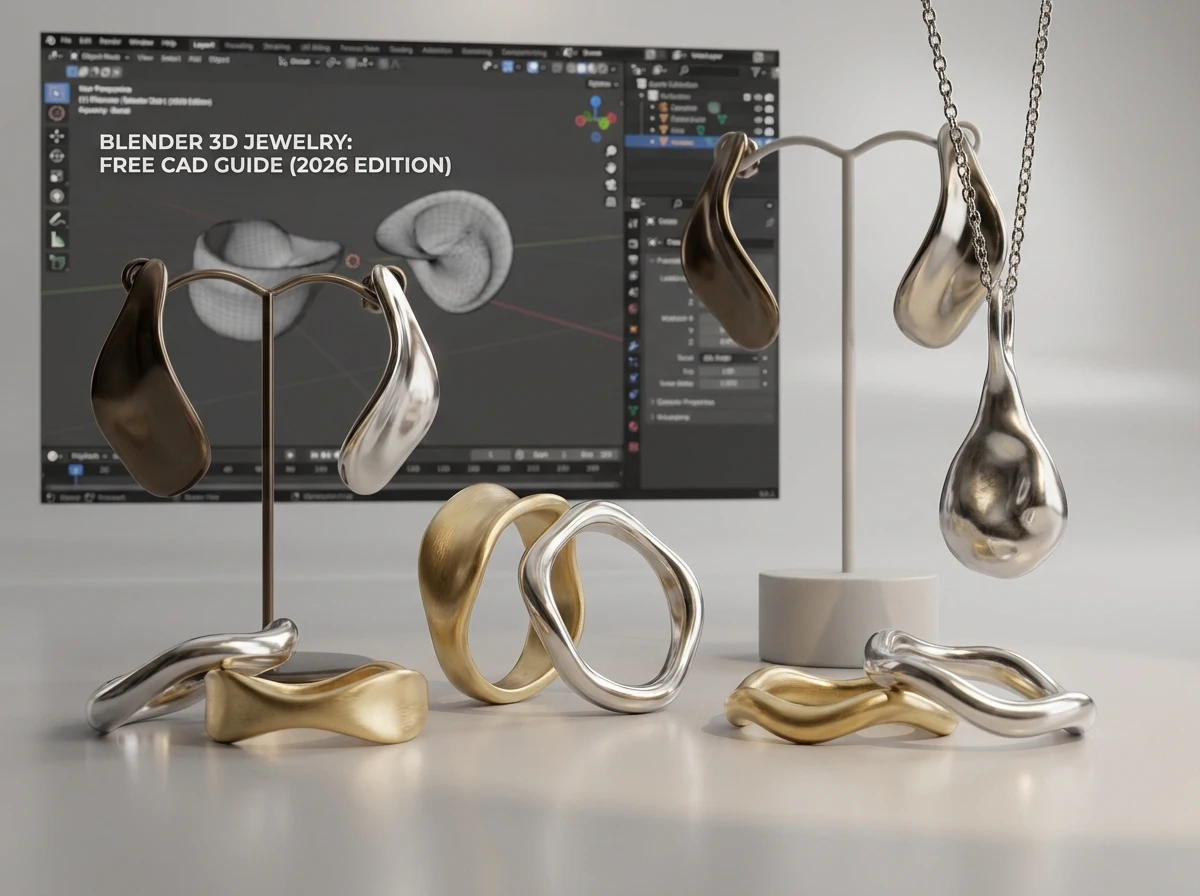
If your goal is concept development, visual exploration, and presentation, Blender is a strong place to start. It gives you freedom to experiment with shape, surface, proportions, and lighting without adding software cost to your overhead.
That matters if you are testing a new collection theme or validating demand before committing to samples. A founder launching a capsule line can explore organic forms, layered silhouettes, or oversized fashion pieces in Blender and get a much clearer view than a flat sketch can provide.
Organic modeling and creative flexibility
Blender is especially useful when your collection includes flowing, sculptural, or unconventional shapes. In practice, this means wave-like earrings, melted-metal looks, asymmetrical rings, or nature-inspired forms can be built quickly and refined visually.
For fashion-forward concepts, Blender jewelry modeling often feels more intuitive than rigid engineering-focused software. You can push and pull form, explore dramatic profiles, and create a jewelry 3d model Blender users can present to buyers, partners, or internal teams early in development.
Rendering that helps you sell the idea
One major reason people choose Blender for jewelry design is rendering. Clean visual mockups help you pitch a concept, pre-sell a design, or test your brand direction online. If you are preparing line sheets or digital presentations, Blender can support polished 3d jewelry design software workflows without a large upfront investment.
Think of it this way. Rendering is not manufacturing, but it can prevent bad decisions. If a design looks weak from key angles in a render, it usually gets worse once cast and finished.
Where Blender Struggles in Production-Ready CAD
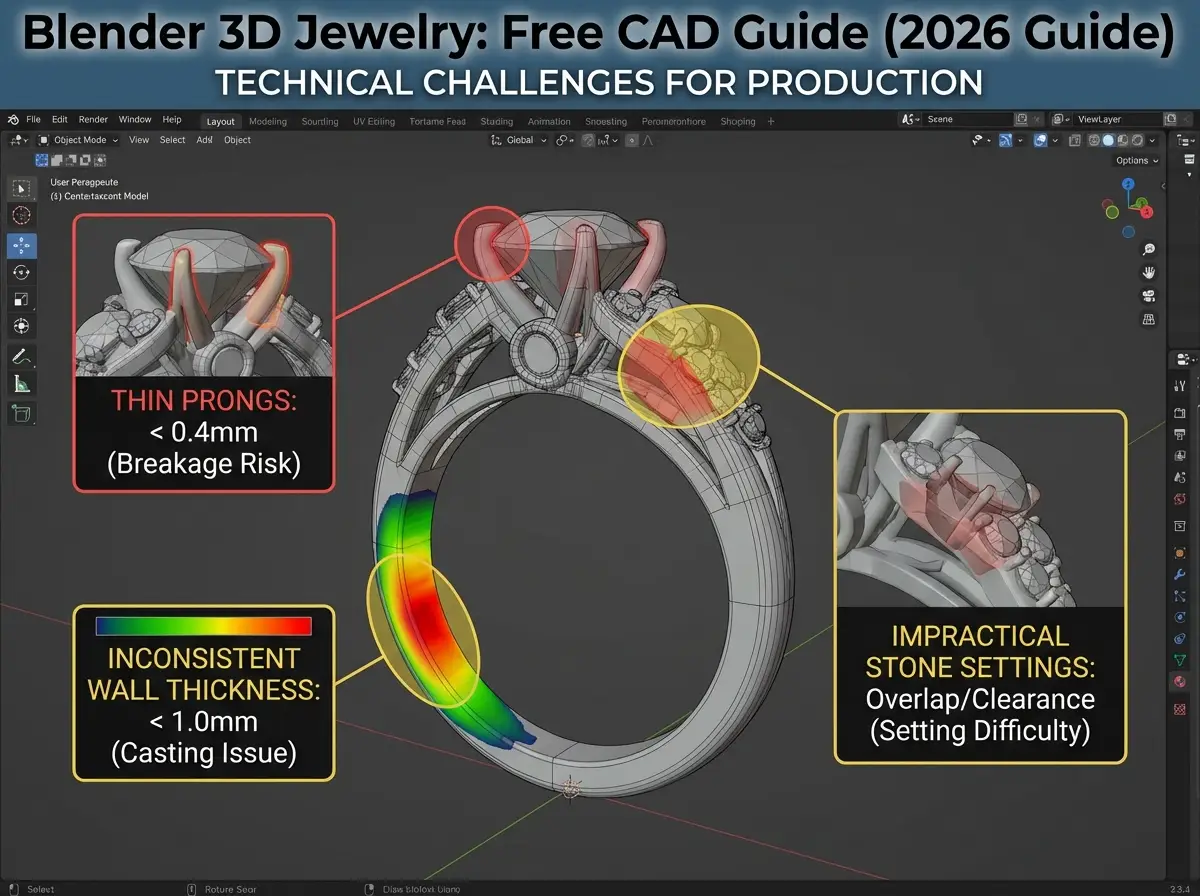
The reality is, jewelry production asks for more than a beautiful file. A ring that looks impressive on screen still needs correct dimensions, dependable wall thickness, practical stone setting areas, and clean geometry for prototyping.
This is where many first-time users get into trouble with free jewelry cad Blender workflows. Blender is not built specifically around gemstone libraries, parametric ring sizing, or production rules the way dedicated jewelry software often is.
Precision is possible, but not as natural
You can model precisely in Blender, but it usually takes more manual discipline. You need to check measurements carefully, confirm unit settings, inspect manifold geometry, and validate whether prongs, bezels, galleries, and seats are truly manufacturable.
What many people overlook is that jewelry factories do not manufacture concepts, they manufacture toleranced files. If a claw is too thin, a hole is too shallow, or a decorative bridge traps polishing tools, your sample may need redesign before production can continue.
Stone setting and technical detail need extra care
Now, when it comes to pavé, channel settings, halo layouts, and repeated stone placement, Blender can become time-consuming. Dedicated programs often make these functions much faster and more reliable. That is one reason many professionals still compare Blender against matrix 3d jewelry design software and rhino 3d jewelry modeling before choosing a long-term workflow.
If your collection depends on exact stone spacing or size variations across multiple SKUs, Blender may work better as a concept tool than as the final engineering environment.
How Blender Compares With Rhino and Matrix
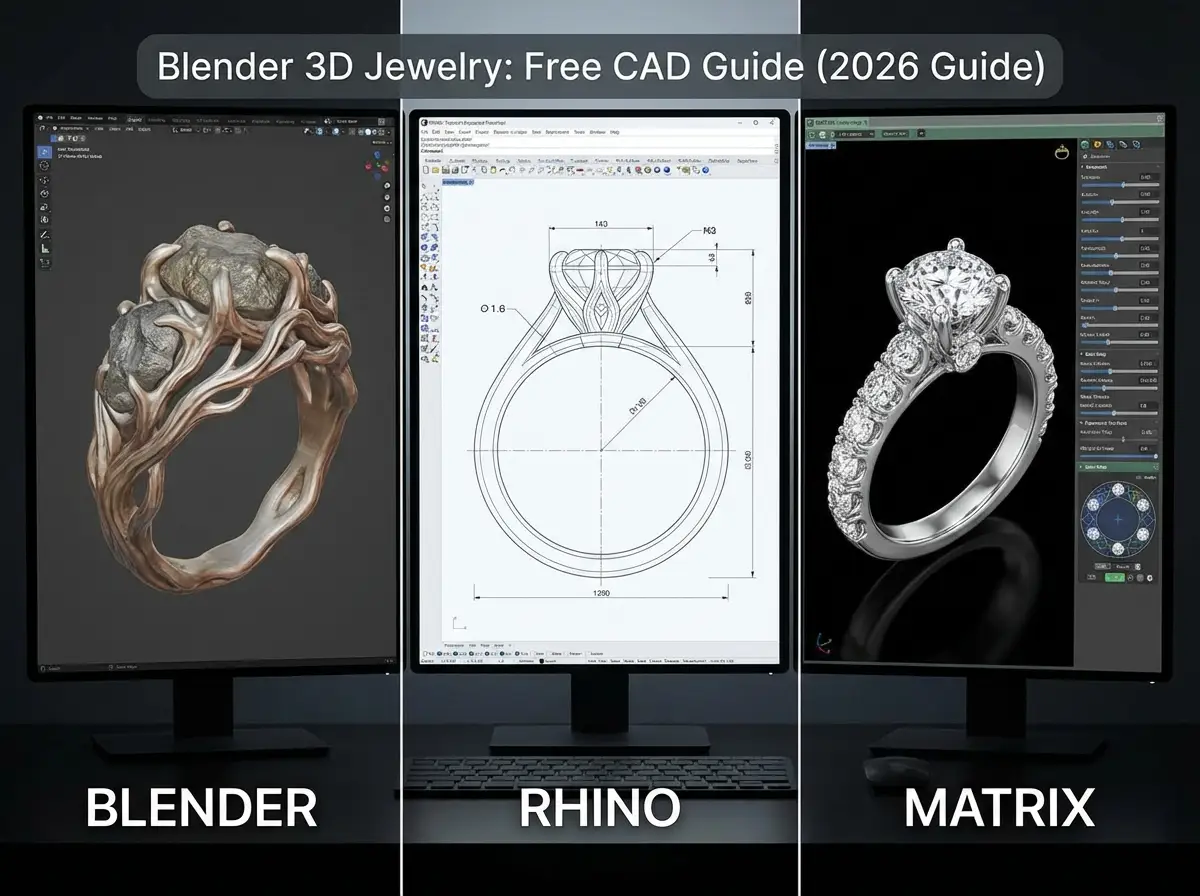
Software choice should match the kind of jewelry you actually plan to produce. Not every brand needs the same toolset.
Blender vs Rhino
Rhino is well known for accuracy and technical control. Blender often wins on price and creative freedom, while Rhino usually wins when your team needs measured surfaces, technical adjustments, and cleaner translation into production planning.
From a practical standpoint, if you are building fashion jewelry, visually driven silver styles, or concept-heavy collections, Blender can be enough in early stages. If you are building repeatable, precision-focused ranges with exact dimensions and production consistency, Rhino usually gives you a stronger foundation.
Blender vs Matrix
Matrix and similar jewelry-focused systems are built with jewelers in mind. They support gems, shanks, settings, and parametric modifications in ways that reduce repetitive work. Blender can still produce beautiful results, but it asks more from the user to bridge creative modeling and production reality.
Consider this. A startup founder with design sensitivity and no CAD budget may get real value from Blender. A growing brand managing bridal variations, center stone options, and scalable production may outgrow it quickly.
Best Use Cases for Brands and Jewelry Startups
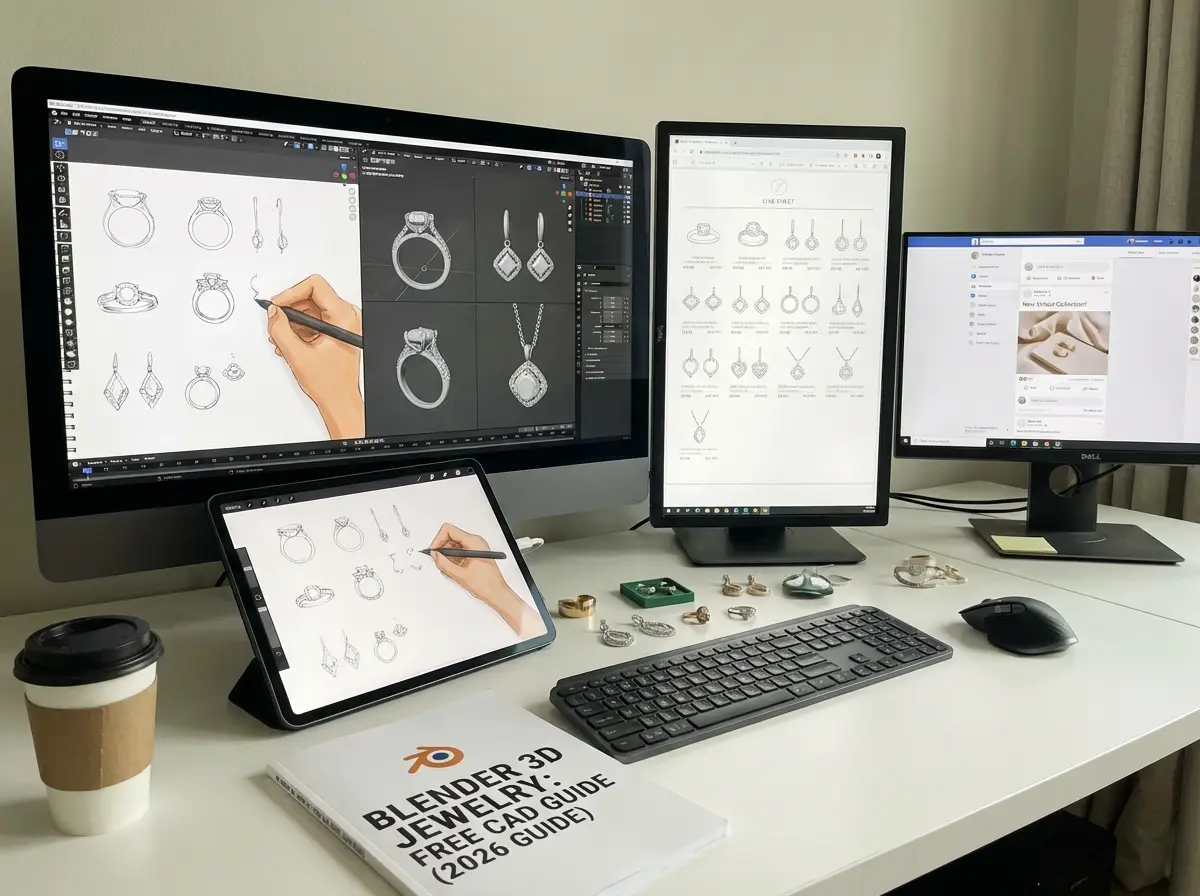
Blender is not just for hobbyists. It can be a smart business tool when used in the right context.
When Blender makes sense
- Early concept creation for a new jewelry line
- Visual development of organic or artistic forms
- Affordable 3d jewelry rendering for pre-launch marketing
- Internal design reviews before paying for technical CAD refinement
- Content creation for social media, line sheets, and buyer presentations
If you are validating style direction before committing to tooling and samples, Blender can reduce risk. A brand can test visual appeal first, then hand the approved concept to a CAD technician or manufacturer for technical adjustment.
When Blender may not be enough
If your design includes stone-intensive settings, precise ring resizing systems, tight tolerances, or complex mechanical parts, you may need more specialized CAD support. The same goes for teams planning rapid SKU expansion or high-volume production.
One example is Royi Sal Jewelry, a Bangkok-based OEM/ODM manufacturer with more than 20 years of experience, where concept files often need to be checked against real production limits before sampling. That is a normal part of responsible development, not a sign the design failed.
How to Move From Blender File to Manufacturing
A good Blender model becomes valuable when you can convert it into a manufacturable brief. This handoff is where many projects either gain speed or lose weeks.
What your factory needs beyond the model
Your factory or CAD team will usually need more than a single export file. They may ask for measurements, target weight range, metal choice, stone sizes, finishing notes, and reference images that show the intended look.
If you are working in silver, brass, or plated materials, design rules can change. A thin visual edge that looks elegant on screen may behave very differently in sterling silver than in brass. If you are comparing materials, this article on exploring brass elegant alternative metal jewelry is worth reviewing before finalizing your spec.
A practical handoff checklist
- Export clean files in the format your partner requests
- Confirm scale and units before sending anything
- Include overall dimensions and key thicknesses
- List intended metal, plating, and stones
- Share rendered views and angle references
- Flag areas where appearance matters most
For a clearer view of what happens next, you may also want to read How Use CAD Technology Faster Jewelry Prototyping and Royi Sals 3D Sampling Workflow. Both help connect digital design decisions to the sampling stage.
Practical Workflow Tips Before You Brief a Factory
Here is where Blender users can save real money. The better your file and brief, the fewer back-and-forth revisions you will face during sampling.
Design for manufacturing, not just for the render
A strong render can hide weak engineering. Before you send a jewelry 3d model Blender export to production, ask basic manufacturing questions. Can this area be cast cleanly? Can the polisher reach this recess? Is the stone seat realistic? Will plating pool in this cavity?
This mindset matters whether you work with a large OEM partner or a smaller studio. Royi Sal Jewelry, for example, supports brands through structured Customer Journey and broader Services that connect design, sampling, and production, which reflects how much coordination good jewelry development actually needs.
Remember the full product, not only the piece
What many people overlook is that your design experience continues after manufacturing. Packaging, brand story, and material choices all affect how your collection is received. If your brand values sustainability, the design stage is the right time to think about how the finished piece will be presented. This related guide on exploring alternative jewelry packaging solutions eco conscious brands can help you connect product design with packaging decisions early.
How Blender Fits Into 3D Printing and Casting
Many readers asking about blender for jewelry design are really asking a production question: can this file become a physical piece without major rework? The answer is yes, but only if the model is prepared with printing and casting in mind from the start.
Printing is only one checkpoint
A file that passes into resin printing is not automatically ready for metal production. The print may still reveal weak joins, fragile tips, trapped cavities, or surfaces that require excessive cleanup. In jewelry, those details affect cost, finish quality, and consistency across repeat orders.
The reality is, printing should be treated as a checkpoint, not final proof that the design is production safe. If your model is being prepared for lost wax casting, every recessed area, support connection, and thickness transition needs to be reviewed with the cast result in mind.
Weight, thickness, and wearability matter together
What many people overlook is that visual success and product success are not the same thing. A pendant can look balanced on screen and still end up too heavy for comfortable wear. A ring can appear elegant in render and still need reinforcement at the shoulder or undergallery. Earrings can look dramatic and still become difficult to wear if the volume is not controlled.
From a practical standpoint, Blender works best when you evaluate aesthetics alongside weight, thickness, assembly, and long-term wear. That does not mean every file needs to start in a jewelry-specific CAD system. It means your design decisions need to reflect how the piece will actually be printed, cast, polished, set, and worn.
Common File Problems That Delay Sampling
One of the biggest content gaps around free jewelry cad Blender workflows is not creativity, it is cleanup. Delays often come from file issues that are easy to miss if you are focused mainly on form and rendering.
Geometry issues that cause avoidable revisions
Before sampling begins, your partner may need to correct open meshes, non-manifold edges, overlapping surfaces, inverted normals, or details that are simply too fine for reliable output. None of these problems are unusual. They are part of the reason factories and CAD teams review files before moving to print.
Consider this. If a decorative edge intersects poorly with a shank, or if a stone seat is visually placed rather than technically built, that problem usually appears later as a sampling delay. The earlier these issues are caught, the less time and budget you lose.
Scale mistakes are more common than many brands expect
Unit confusion is another frequent problem. A model may be beautifully built but arrive at the wrong size because the export settings, scene scale, or measurement assumptions were inconsistent. In jewelry, a small scale error is not small at all. It affects fit, stone size, weight, and sometimes the entire manufacturing route.
Here’s the thing, a careful pre-check can prevent most of this. Review dimensions, compare the file to intended stone sizes, and confirm that each functional area still makes sense in real millimeters before you brief your production partner.
Do You Need Add-Ons or Specialized Support?
Some designers search for a Blender jewelry addon because they want a faster path to technical features. That can help, especially if you are repeating certain tasks, but tools alone do not solve manufacturing logic.
Add-ons can speed up workflow, not replace judgment
If an add-on helps with measurement, repeated stone placement, or basic asset setup, it may improve efficiency. But your output still needs to be reviewed for thickness, access for finishing, durability, and production realism. Software assistance is useful. It is not a substitute for understanding how jewelry is made.
Now, when it comes to growing a collection, the better question is not whether Blender can do the task at all. The better question is whether your current workflow still supports speed, consistency, and repeatable results. If the answer starts becoming no, specialized CAD support or manufacturer-side refinement usually becomes the smarter business decision.
Use Blender where it creates the most value
For many brands, the strongest workflow is hybrid. Blender handles concept building, sculptural exploration, and 3d jewelry rendering. Technical adjustments then happen where production requirements can be controlled more tightly. That kind of handoff is common, practical, and often more cost-effective than forcing one tool to carry the entire process.
Frequently Asked Questions
Is Blender good for jewelry design?
Yes, Blender can be very good for jewelry design, especially for concept work, organic modeling, and high-quality rendering. It is a practical option if you want to explore forms without paying for expensive software upfront. The key limitation is that Blender is not jewelry-specific by default. If your design requires precise stone settings, ring resizing logic, or production-focused parametric tools, you may need additional technical support before manufacturing. For visual development and early-stage design, though, it is far more capable than many people expect.
Can Blender replace jewelry CAD software completely?
Sometimes, but not always. If your collection is artistic, simple in structure, or mostly focused on visual presentation, Blender may cover a large part of your workflow. If your brand depends on repeatable sizing, detailed stone layouts, and production precision across many SKUs, dedicated jewelry CAD software often saves time and reduces technical errors. Think of Blender as a flexible design tool rather than a universal replacement. For some teams it is enough. For others, it is the front end of a larger design-to-manufacturing system.
Is Blender suitable for 3D printing jewelry prototypes?
It can be, as long as the file is prepared correctly. A Blender model intended for 3D printing must be clean, watertight, correctly scaled, and structurally realistic. Problems like non-manifold edges, inverted normals, and overly thin elements can cause printing failures or fragile resin models. In jewelry, those issues become more serious because the details are small. If you plan to prototype from Blender, file checking is essential before sending anything to a printer or manufacturing partner. A beautiful design still needs technical cleanup for reliable output.
What file formats should I export from Blender for jewelry production?
STL is commonly used for prototyping and 3D printing, and many factories will request it for initial review. OBJ can also be useful in some workflows, especially for visual exchange. That said, the right format depends on what your production partner needs. Some teams may accept a mesh for concept approval but rebuild the design in another CAD system for technical production. Always ask before exporting. The best approach is to confirm format, units, tolerances, and whether the model will be printed directly or remodeled.
Why do Blender jewelry models often need revision before manufacturing?
Because jewelry manufacturing has physical rules that are easy to miss in a visual-only workflow. A design may need thicker prongs, larger support bridges, cleaner undercuts, or better access for stone setting and polishing. Casting behavior also matters. Certain shapes trap investment, distort during casting, or create weak points after finishing. This does not mean Blender is the wrong tool. It means concept modeling and production engineering are different tasks. Revision is normal, and brands that expect this process usually move faster and waste less money.
Is Blender a good option for jewelry startups with small budgets?
Yes, it is often a smart entry point. New brands usually need to balance software costs, sample budgets, branding, photography, and packaging all at once. Blender lowers one barrier by giving you professional-grade modeling and rendering tools for free. That can free up budget for prototyping or manufacturing consultation instead. The tradeoff is time. You may save money on software but spend more effort learning techniques and validating files. If you have more time than cash, Blender can be a very sensible starting choice.
How does Blender help with jewelry marketing and pre-sales?
Blender is especially useful for renders, animations, and visual storytelling. If you want to preview a collection before physical sampling is complete, rendered assets can help you pitch retailers, test social content, refine brand direction, or gather early feedback. This is valuable for MOQs and production planning because you can validate demand before committing too deeply. Just remember that renders should not promise impossible details. Your digital presentation should reflect what can actually be made in metal, set with stones, and finished consistently at scale.
Can a manufacturer work from a Blender design file?
Yes, many manufacturers can review and work from Blender-based files, especially as a starting point. In some cases they will print directly from the file if it is technically sound. In other cases they will rebuild or adjust the model in a production-oriented CAD environment. That is common and often beneficial. Manufacturers are not trying to change your design without reason. They are usually protecting the result, making sure the piece casts cleanly, wears well, and can be finished properly. Good collaboration improves the final product.
What kinds of jewelry are easiest to design in Blender?
Blender tends to work best for sculptural pendants, fashion earrings, organic rings, statement cuffs, and concept-led pieces where form and visual impact matter more than strict engineering logic. It is also useful for pieces that rely on surface treatment, asymmetry, or artistic volume. Simpler bezel-set designs can also work well if dimensions are checked carefully. It becomes more challenging as the design moves toward intricate pavé, highly technical engagement styles, or systems with many size or stone variations that need exact repeatability.
When should a brand move from Blender to a specialized CAD workflow?
You should consider it when revisions become frequent, technical complexity rises, or your product line expands. If you are spending too much time manually adjusting stones, rebuilding size variants, or correcting production issues after sampling, specialized CAD may save money in the long run. The same applies when your brand moves from occasional launches to consistent collection development. Blender can remain part of the process for rendering and ideation, but the engineering stage may benefit from more jewelry-specific tools and tighter production integration.
Is Blender hard to learn for jewelry design beginners?
For many beginners, yes. Blender is powerful, but it has a broad interface because it was built for many kinds of 3D work, not only jewelry. That means the learning curve can feel steep at first. Still, difficulty is not the same as unsuitability. If your goal is concept exploration, rendering, or organic form development, the time investment can make sense. What matters is being realistic about your objective. If you need quick production-ready stone layouts and technical variations, the challenge is not only learning Blender, it is learning jewelry engineering at the same time.
Can Blender be used for engagement rings or stone-heavy designs?
It can, but those projects need more caution. Engagement rings, halo layouts, pavé surfaces, and multi-stone structures depend on accuracy in ways that expose Blender’s limits more quickly. A skilled user can build them, but the workflow is usually more manual and more vulnerable to revision if the file is not checked carefully. For brands planning stone-heavy collections, Blender may still work well for concept approval and visual development, but the technical phase often benefits from specialized CAD refinement.
What should I send with a Blender file when requesting a quote or sample?
You should send more than the file itself. Include overall dimensions, ring size if relevant, target metal, plating requirements, stone sizes, stone types, finish direction, and clear images that show the intended appearance. If there are areas you do not want changed, note those clearly. If there are areas you are open to adjusting for production, say that too. This kind of brief helps a manufacturer evaluate your design faster and reduces the chance of avoidable back-and-forth during sampling.
Key Takeaways
- Blender is a strong low-cost option for concept design, organic modeling, and 3d jewelry rendering.
- It is less efficient than jewelry-specific CAD tools for stone settings, parametric changes, and production precision.
- For many brands, Blender works best as an early-stage design and presentation tool, not the only production system.
- A manufacturable result depends on clear specs, correct file preparation, and factory feedback before sampling.
- Smart design decisions connect software choice with materials, packaging, prototyping, and long-term collection planning.
- 3D printing success does not automatically mean casting success, so files should be reviewed for both stages.
- Common issues like scale errors, open meshes, and unrealistic stone settings are frequent causes of sampling delays.
- A hybrid workflow often gives brands the best balance of low-cost creativity and production-ready control.
Conclusion
Blender has earned its place in jewelry development because it gives designers and brand owners a practical way to create, test, and present ideas without paying for expensive software at the start. That alone makes it valuable. If you are building a new collection, validating a style direction, or creating strong visuals for buyer conversations, Blender can do real work for your business.
At the same time, jewelry is a product category where millimeters matter. A successful blender 3d jewelry workflow depends on understanding the handoff between creative modeling and real production. The brands that use Blender most effectively are not the ones trying to force it to do everything. They are the ones using it where it performs well, then bringing in technical CAD or manufacturing input when precision becomes critical.
If you want to explore how a design moves from concept to sample, get in touch and see how we can help.




Responses (0)